Statistics
The Statistics module provides aggregated counters for the mail traffic that SGuard has processed for your group. Use it to confirm volume, spot anomalies, and measure the effect of filter and approval policies.
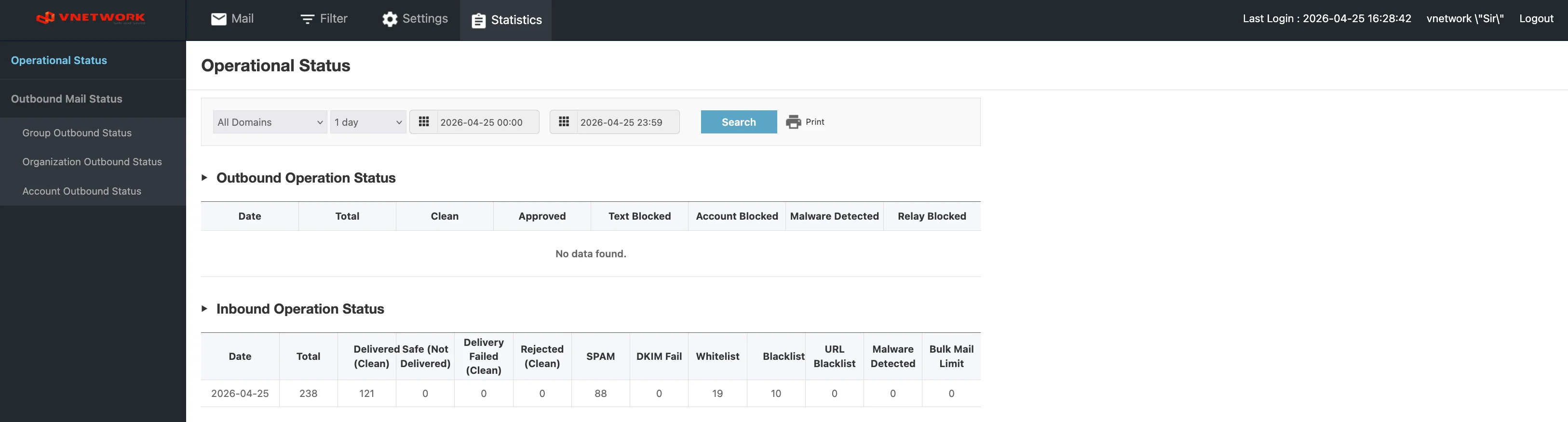
Module Structure
The Statistics sidebar is organized into two sections:
| Section | Page | Purpose |
|---|---|---|
| Operational Status | (single page) | One-page summary of inbound and outbound mail counters for the selected period |
| Outbound Mail Status | Group Outbound Status | Outbound counters aggregated by group |
| Organization Outbound Status | Outbound counters aggregated by organization (sub-unit) | |
| Account Outbound Status | Outbound counters aggregated by individual mail account |
Topics
- Operational Status — combined inbound + outbound summary for the selected time window
- Group Outbound Status — outbound counters for your group as a whole
- Organization Outbound Status — outbound counters per organization (sub-unit) within your group
- Account Outbound Status — outbound counters per individual mail account
info
All Statistics pages share a Period filter (1 day, 1 week, 1 month, etc.) plus explicit start and end timestamps, so the same time window can be applied across pages for cross-checking.