Object Storage
Object Storage is an S3-compatible object store: you create buckets, upload objects, and control access with access keys and IAM policies and roles — all on a dedicated storage account provisioned for your organization. Any S3 tool or SDK works against it (the console shows the regional endpoint).
When to use it
Use Object Storage for static assets, media, backups, data lakes and app storage — anything you'd reach for S3 for. It pairs with Multi-CDN (serve public buckets from the edge) and Managed Kubernetes (persistent object storage for workloads).
Activate
Object Storage is self-serve from the Partner Portal:
- Open Services → Storage → Object Storage.
- Click Activate Object Storage — VNETWORK provisions a dedicated storage account.
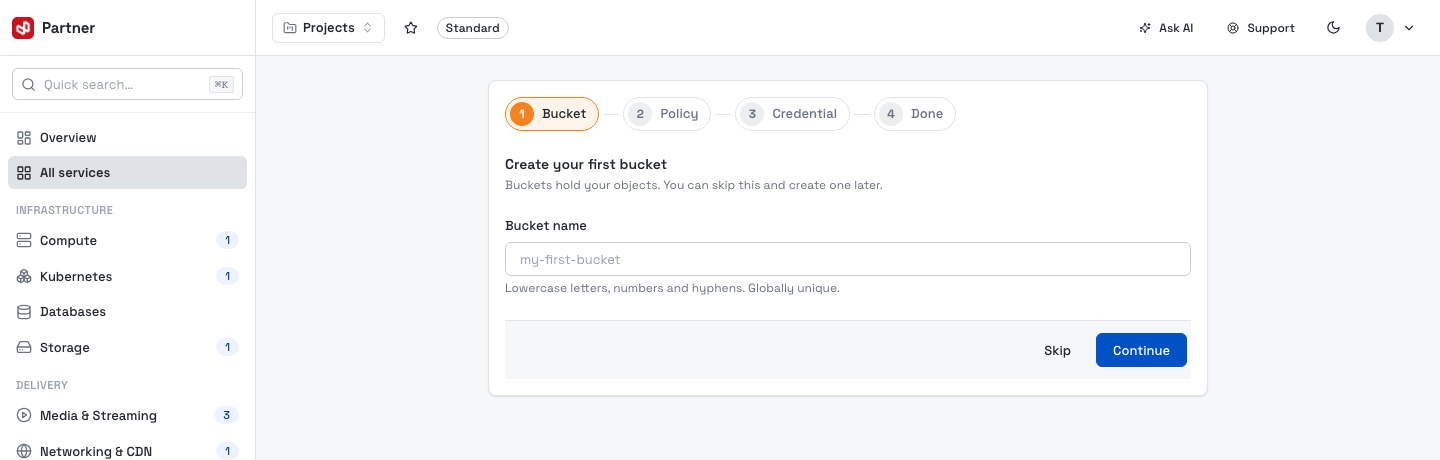
A short onboarding wizard then walks you through creating your first bucket, an access policy and an access key (each step is skippable — you can do them later from the console).
The console & navigation
The left navigation has two groups:
Object Storage
- Overview — total storage, object and bucket counts.
- Buckets — your S3 buckets and their settings.
- Access Keys — S3 credentials for the root account.
IAM
Overview
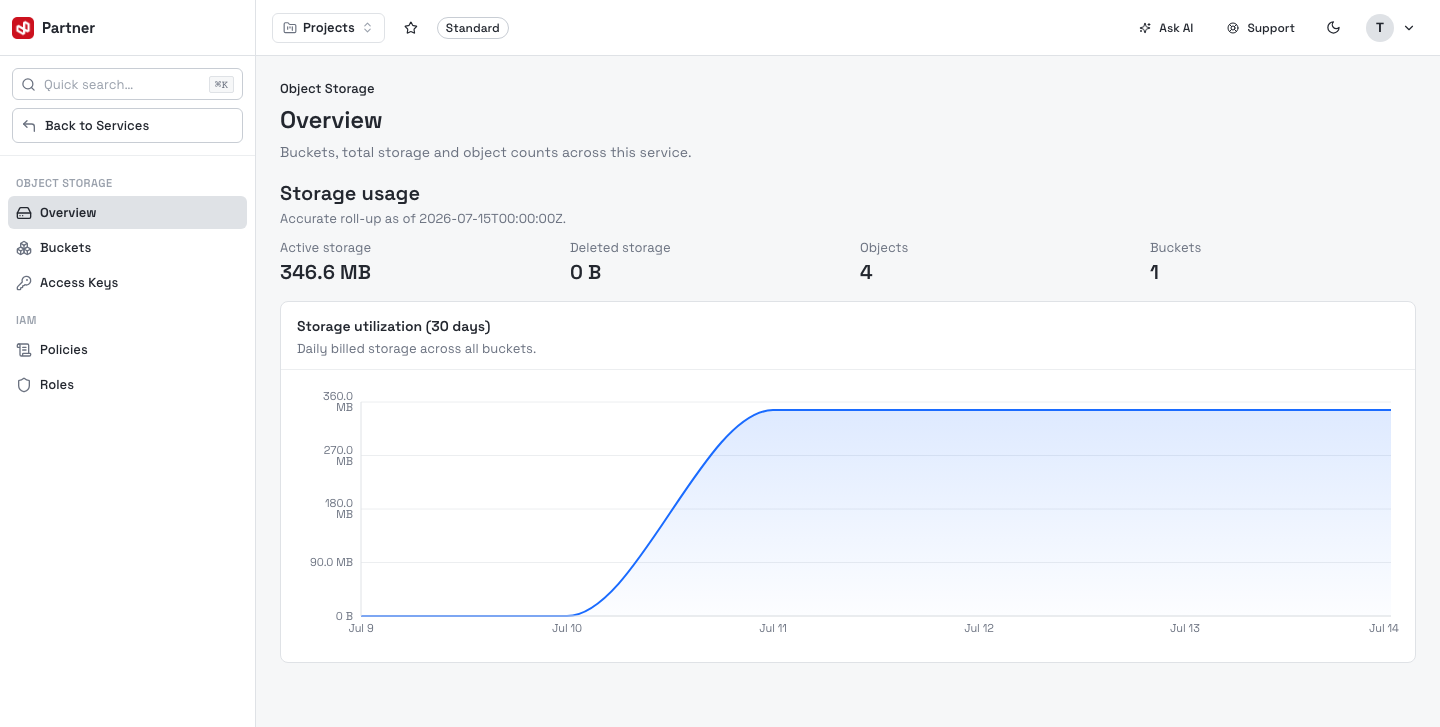
The Overview page rolls up Active storage, Deleted storage, Objects and Buckets, with a 30-day storage-utilization chart (daily billed storage).
Concepts
| Concept | What it is |
|---|---|
| Service | Your dedicated S3-compatible storage account. |
| Bucket | A named container for objects, in a region, with its own settings (versioning, public access, object lock…). |
| Object | A file stored in a bucket, addressed by its key (folders are key prefixes). |
| Access key | An S3 Access Key ID + Secret pair used by tools and SDKs. |
| Policy / Role | IAM permission documents (JSON) that grant scoped access; roles are assumable. |
In this guide
- Buckets — create, configure and manage buckets and their settings.
- Objects — browse, upload, download, version and delete objects.
- Access keys — create and manage S3 credentials.
- IAM policies & roles — permission policies and assumable roles.
- FAQ.