Web Application & API Protection
Web Application & API Protection (WAAP) sits in front of your websites and APIs and filters malicious traffic before it reaches your origin: an AI-assisted WAF blocks application-layer attacks, bot management separates real users from automated abuse, API protection discovers and secures your endpoints, and DDoS / emergency mitigation absorbs volumetric attacks — all delivered from VNETWORK's edge.
When to use it
Use WAAP to protect production web apps and APIs from OWASP-class attacks, credential stuffing, scraping and volumetric abuse without deploying appliances in your own network. It pairs naturally with Multi-CDN: deliver at the edge, protect with WAAP.
Activate
WAAP is self-serve from the Partner Portal:
- Open Services → Security → Web Application & API Protection and click Activate. VNETWORK provisions WAAP for your current project on the standalone protection provider.
- The card opens into the WAAP console. Onboard your first website from Onboarding to route its traffic through WAAP.
Concepts
| Concept | What it is |
|---|---|
| WAAP service | One console for your account, on a subscription plan (Free / Standard / Pro / Custom) that gates features and limits. |
| Website (domain) | A hostname you onboard; WAAP proxies its traffic and applies protection. |
| Origin | Where WAAP forwards clean traffic (your server or load balancer). |
| Protection policy | A named AI-WAF ruleset (Basic … Strict, Balanced, API-Specific…) applied per website. |
The console & navigation
The left navigation groups the console into: Dashboard · Onboarding · Websites · Analytics, then feature areas AI-WAF, API Protection, Bot Management, Programmable Mitigation, Emergency Mitigation, Business Usage, Logs and Settings. Feature areas your plan doesn't include appear locked until you upgrade (see Plans & settings).
Dashboard
The Dashboard is an account overview of the last 30 days (cached up to 8 hours; use Refresh for the latest).
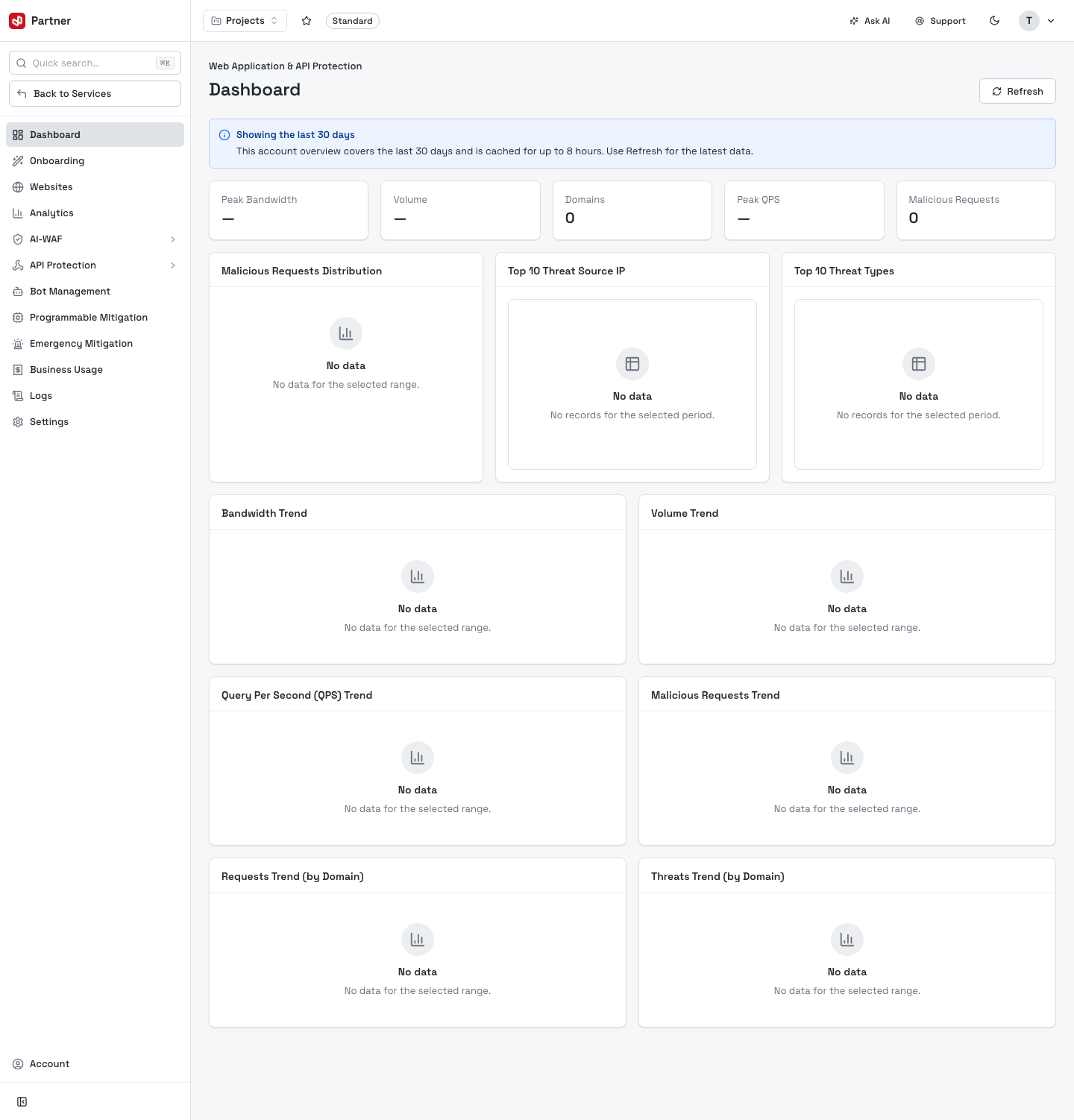
- Headline cards: Peak Bandwidth, Volume, Domains, Peak QPS, Malicious Requests.
- Panels: Malicious Requests Distribution, Top 10 Threat Source IP, Top 10 Threat Types, Bandwidth Trend, Volume Trend. (They read No data until an onboarded website receives traffic.)
In this guide
- Onboarding — add a website (the 4-step wizard) and the Websites list.
- Website configuration — origin, access control, caching, TLS, headers, purge, prefetch.
- AI-WAF — protection policies, custom rules, web access control.
- API Protection — discovery, threat detection, DLP, vulnerabilities.
- Bot Management — detect and act on automated bots.
- Programmable Mitigation — custom block / rate-limit rules at the edge.
- Emergency Mitigation — break-glass switches for an active attack.
- Analytics, Business Usage & Logs.
- Plans & settings — subscription tiers and service settings.
- FAQ.