AI-WAF
The AI-WAF is the core rule engine in WAAP. It inspects each request to a protected website and blocks application-layer attacks (injection, XSS, path traversal and other OWASP-class threats), combining managed policies with AI-assisted scoring. The AI-WAF group in the left nav has six pages.
General Protection
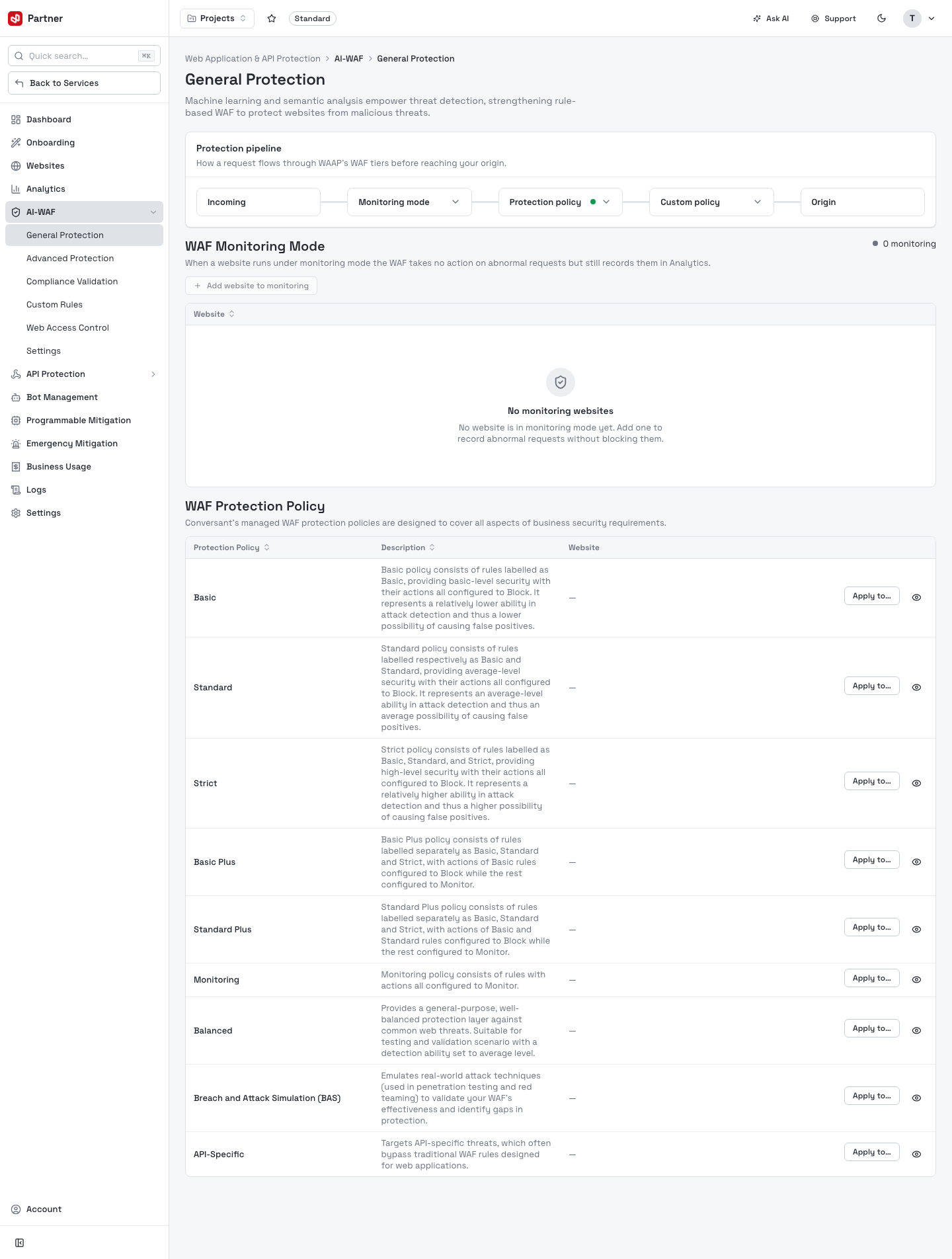
Set the protection mode and pick the managed policy applied to each website.
-
Protection mode — Incoming, Monitoring mode (log only, no blocking), Protection policy, Custom policy or Origin.
-
WAF Monitoring Mode — add a website to monitoring to see what would be blocked (records into Analytics) before you enforce.
-
WAF Protection Policy — a catalog of managed policies you Apply to a website, each tuned to a different risk/false-positive balance:
Policy For Basic Blocks only the most confident, widely-abused attack patterns — fewest false positives. Standard Balanced everyday protection (the common default). Strict Aggressive blocking for high-security sites — expect more challenges/false positives. Basic Plus / Standard Plus The Basic/Standard sets extended with additional rule groups. Monitoring Logs matches without blocking — for tuning. Balanced Middle-ground security vs. usability. Breach and Attack Detection (BAD) Focused on detecting active breach/attack behaviour. API-Specific Tuned for API endpoints.
Start a new site in Monitoring mode (or the Monitoring policy), watch Analytics for a few days, then switch to Standard/Balanced and enforce — this avoids blocking legitimate traffic on day one.
Advanced Protection
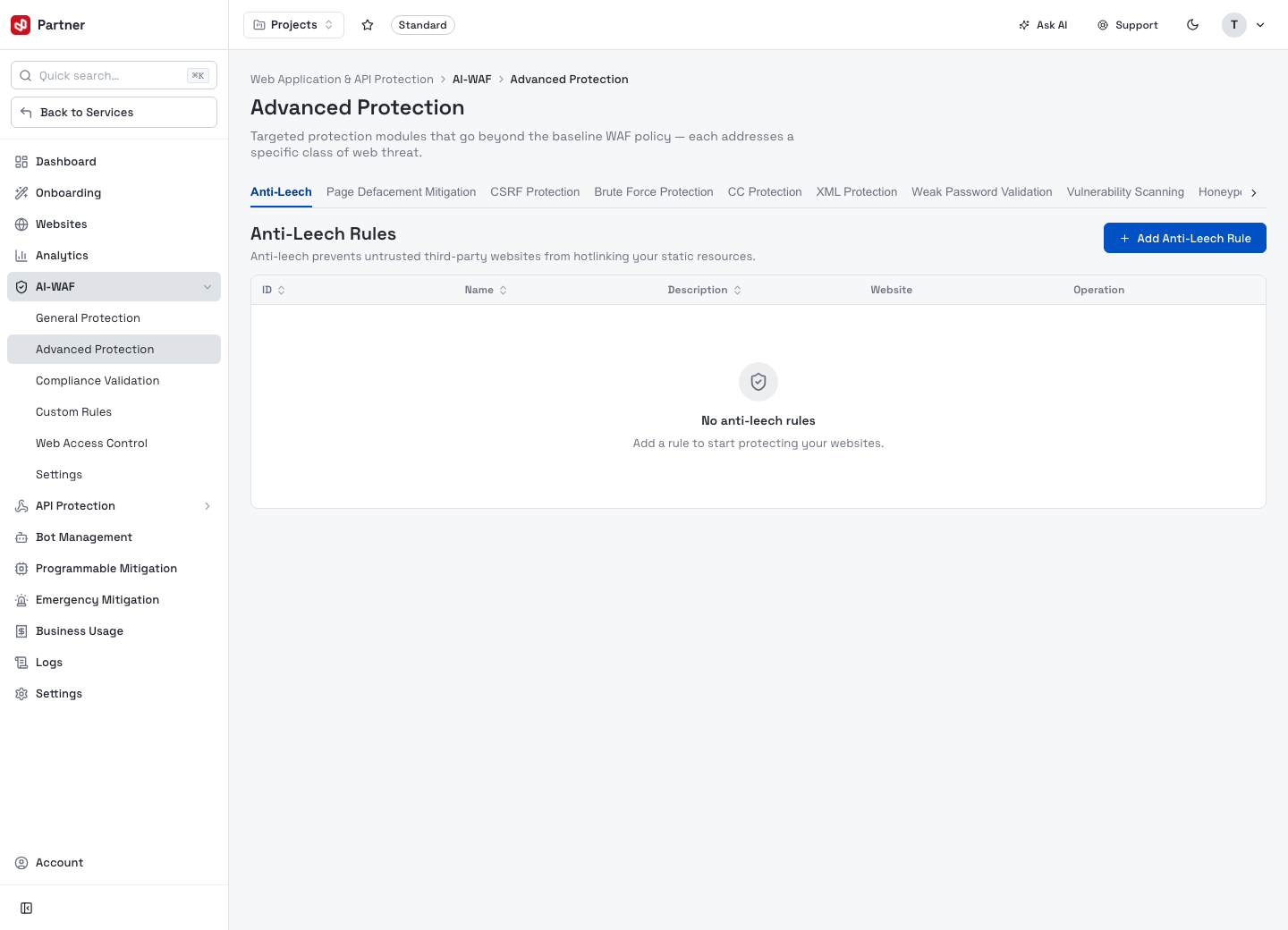
Targeted protection modules that go beyond the baseline WAF policy — each addresses a specific class of web threat. The page is a row of module tabs, and each module is its own rule list: pick a tab, click Add … Rule, and apply the rule to a website.
| Module | What it does |
|---|---|
| Anti-Leech | Stops untrusted third-party sites from hotlinking your static resources. |
| Page Defacement Mitigation | Detects and blocks unauthorized changes to your page content. |
| CSRF Protection | Guards against cross-site request forgery on state-changing requests. |
| Brute Force Protection | Throttles/blocks repeated login (credential) attempts. |
| CC Protection | Guards against surges of requests from the same source to specific paths (challenge-collapsar / app-layer flood). |
| XML Protection | Defends against XML-based attacks (XXE, malformed/oversized XML). |
| Weak Password Validation | Flags weak passwords submitted to your site. |
| Vulnerability Scanning | Detects scanner/probe traffic hunting for known vulnerabilities. |
| Honeypot Protection | Uses traps to identify and act on automated/malicious clients. |
| Cookie Protection | Protects cookies against tampering/forgery. |
| Illegal Download Protection | Prevents unauthorized downloading of protected content. |
Each module's rule table shows ID, Name, Description, Website, Operation; rules are empty until you add them. Add … Rule opens a per-module rule editor (name, the module's specific settings, and an Apply to website picker) — for example the Anti-Leech rule editor:
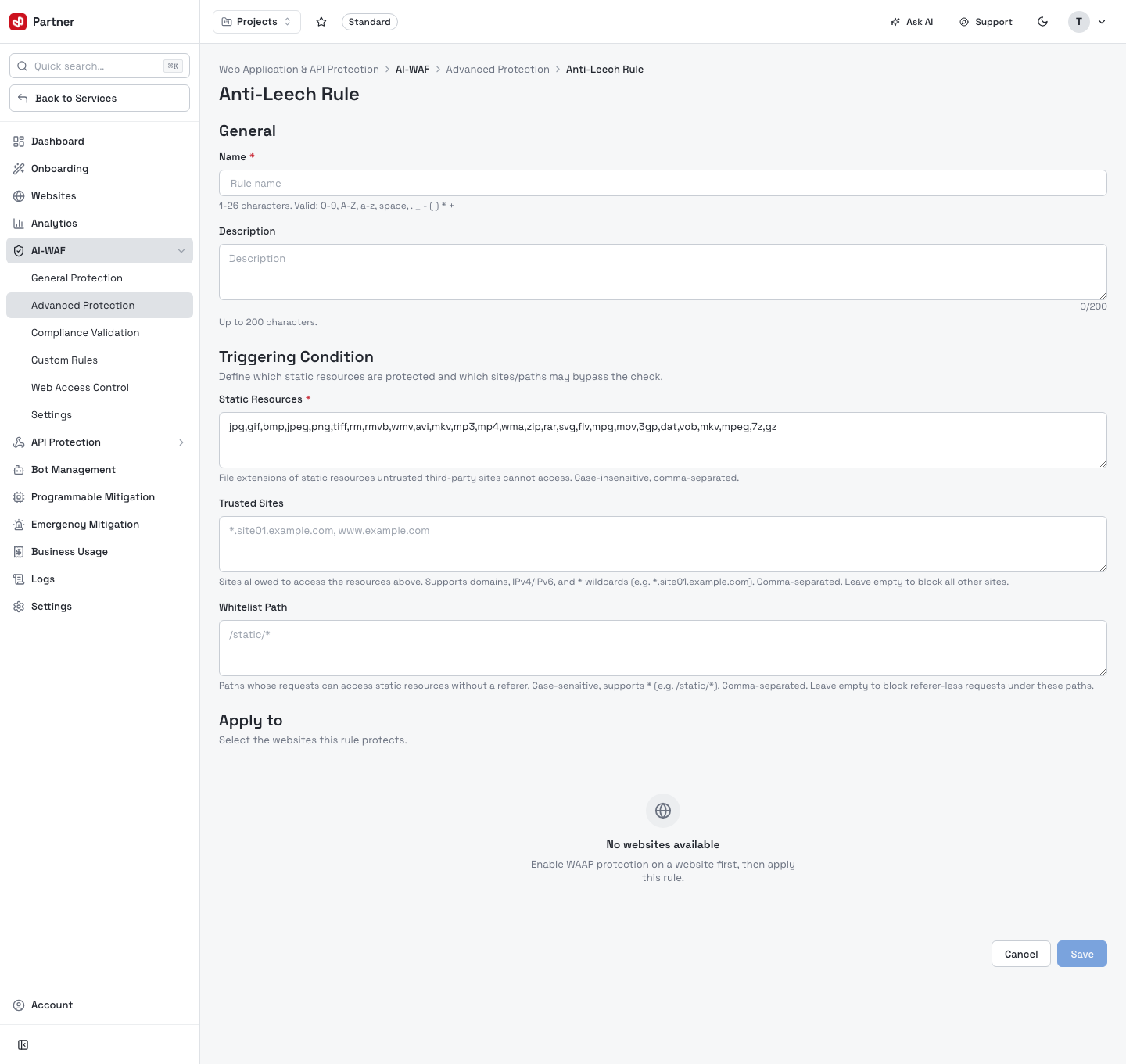
Enable only the modules relevant to your app to keep false positives low.
Compliance Validation
Validate that requests conform to HTTP protocol limits — oversized or malformed requests are blocked.
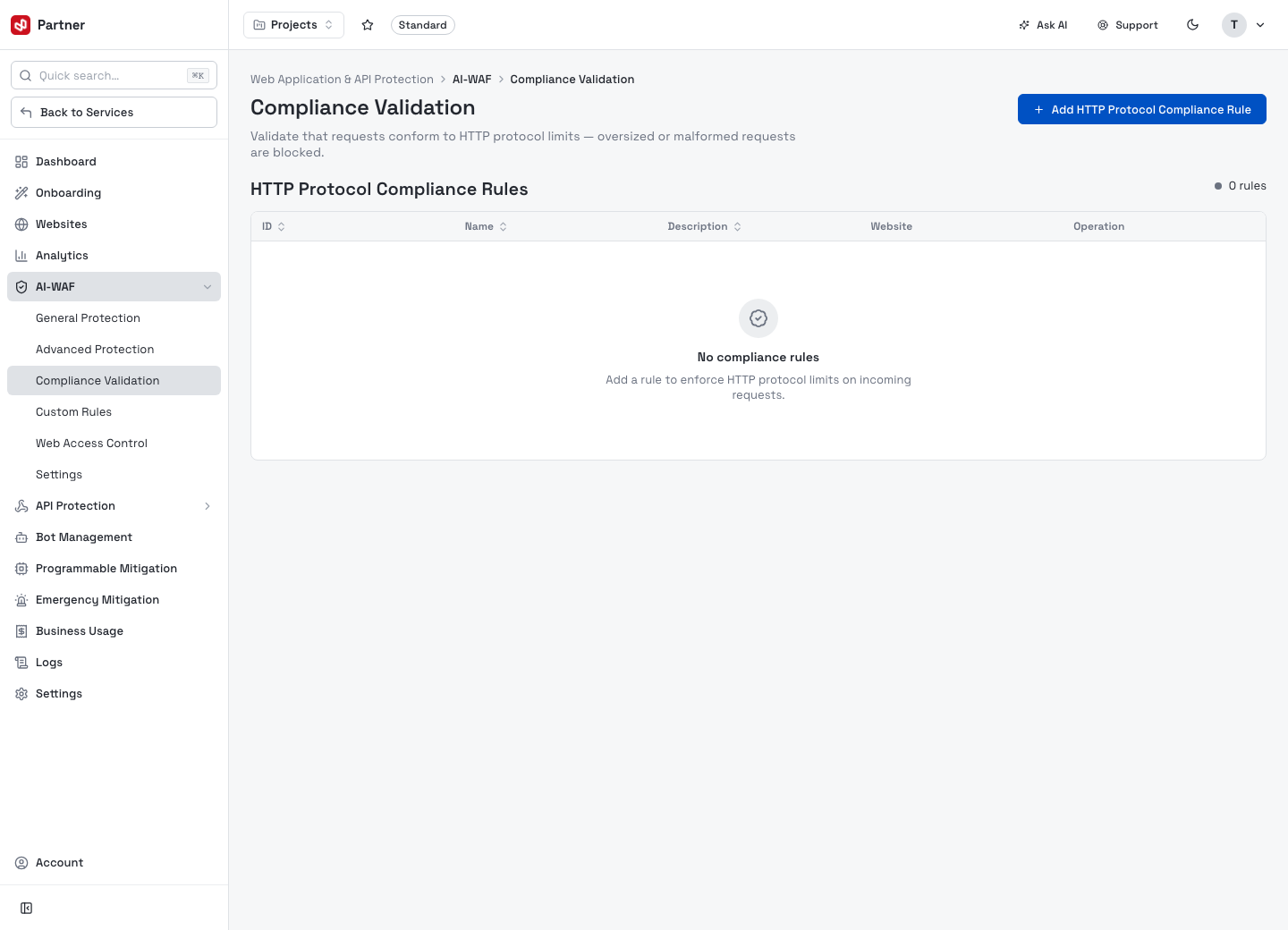
Add HTTP Protocol Compliance Rules (per website) to enforce protocol limits on incoming requests. The table shows ID, Name, Description, Website, Operation.
Custom Rules
Create your own detection logic that applies to the protected websites.
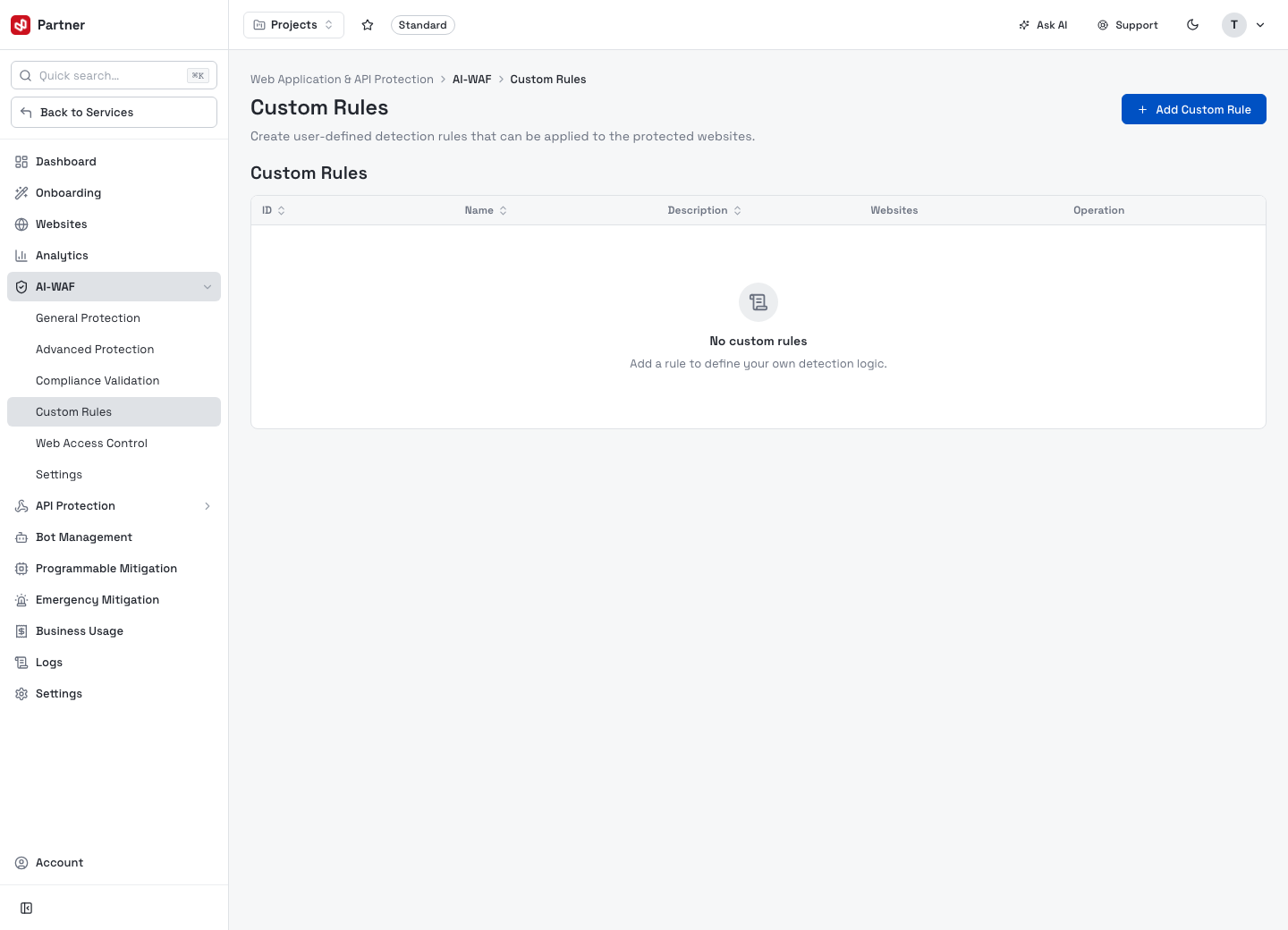
The table lists your rules (ID, Name, Description, Websites, Operation). Click Add Custom Rule to open the rule builder:
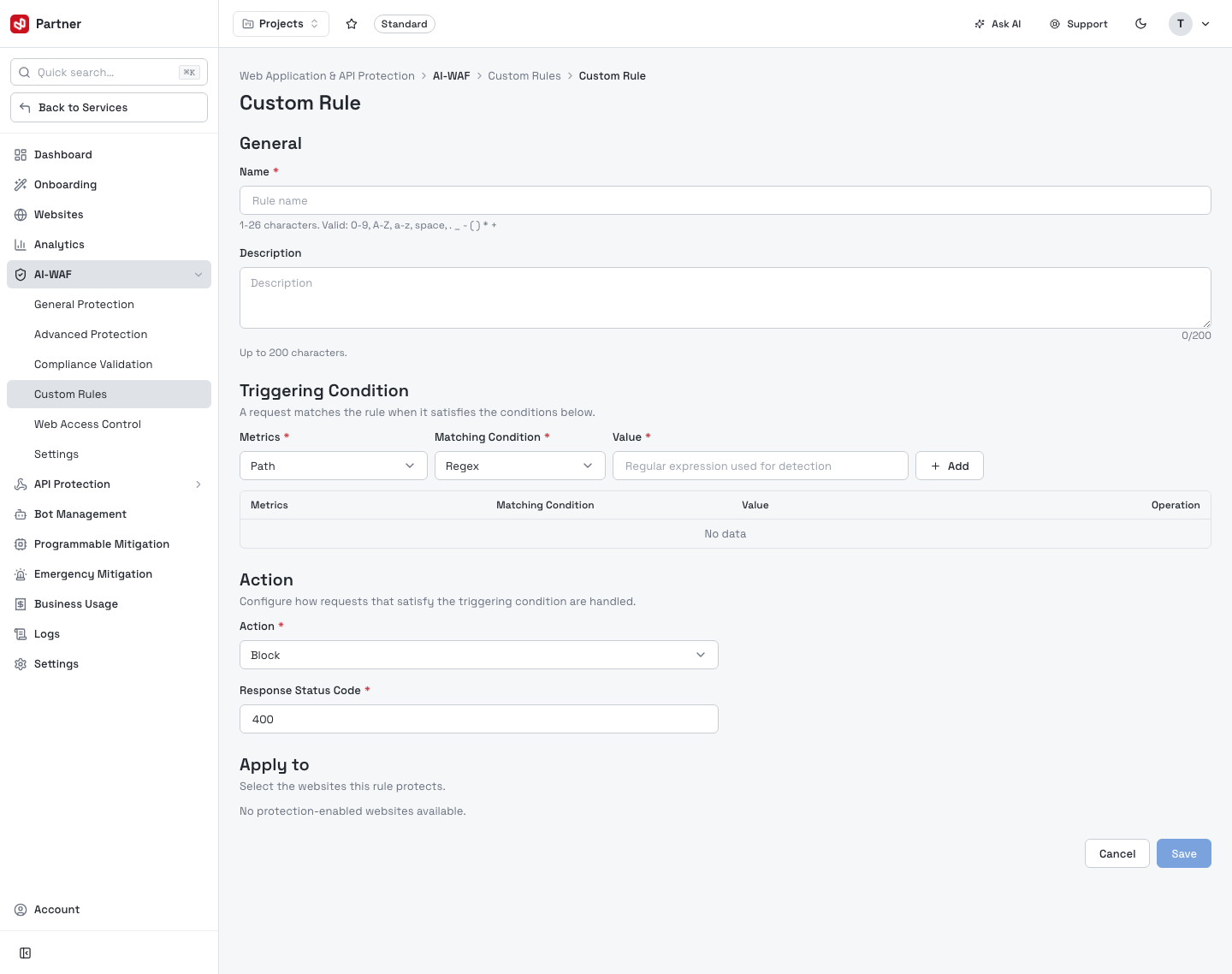
- General — a Name (1–26 chars) and optional Description.
- Triggering Condition — "a request matches the rule when it satisfies the conditions below": pick a Metric (e.g. Path), a Matching Condition (e.g. Regex), and a Value, then Add. Stack multiple conditions.
- Action — how matching requests are handled (Block, …) and the Response Status Code (e.g. 400).
- Apply to — select which protection-enabled websites the rule protects, then Save.
Use custom rules for app-specific policy the managed policies don't cover (block a path by regex, challenge a login endpoint…).
Web Access Control
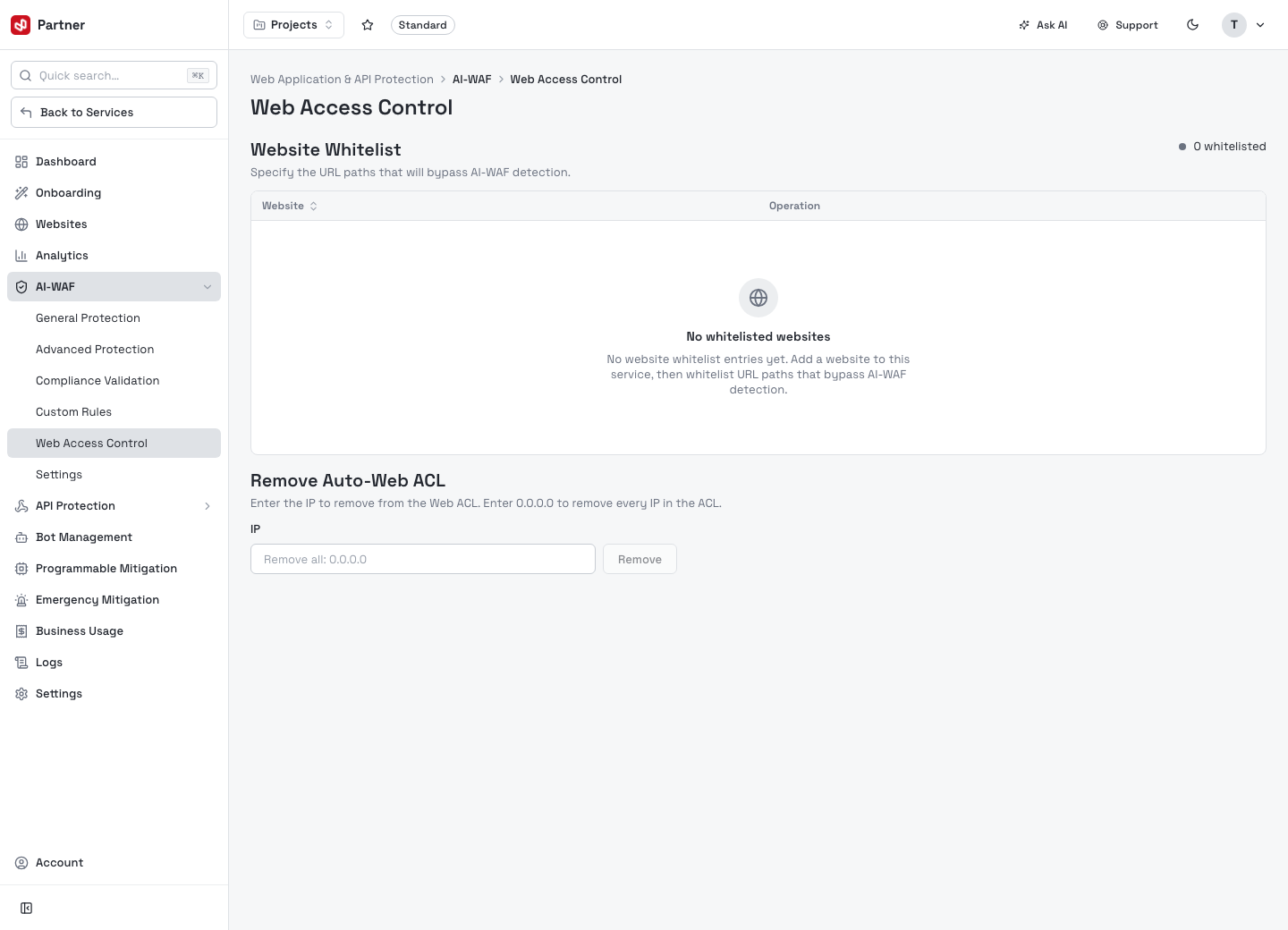
Two controls:
- Website Whitelist — specify URL paths that bypass AI-WAF detection for a website (use sparingly, e.g. a trusted internal endpoint that trips false positives).
- Remove Auto-Web ACL — the AI-WAF automatically adds abusive IPs to a Web ACL; here
you can remove a specific IP from that auto-generated ACL, or enter
0.0.0.0to clear every IP from it.
Settings — File Management
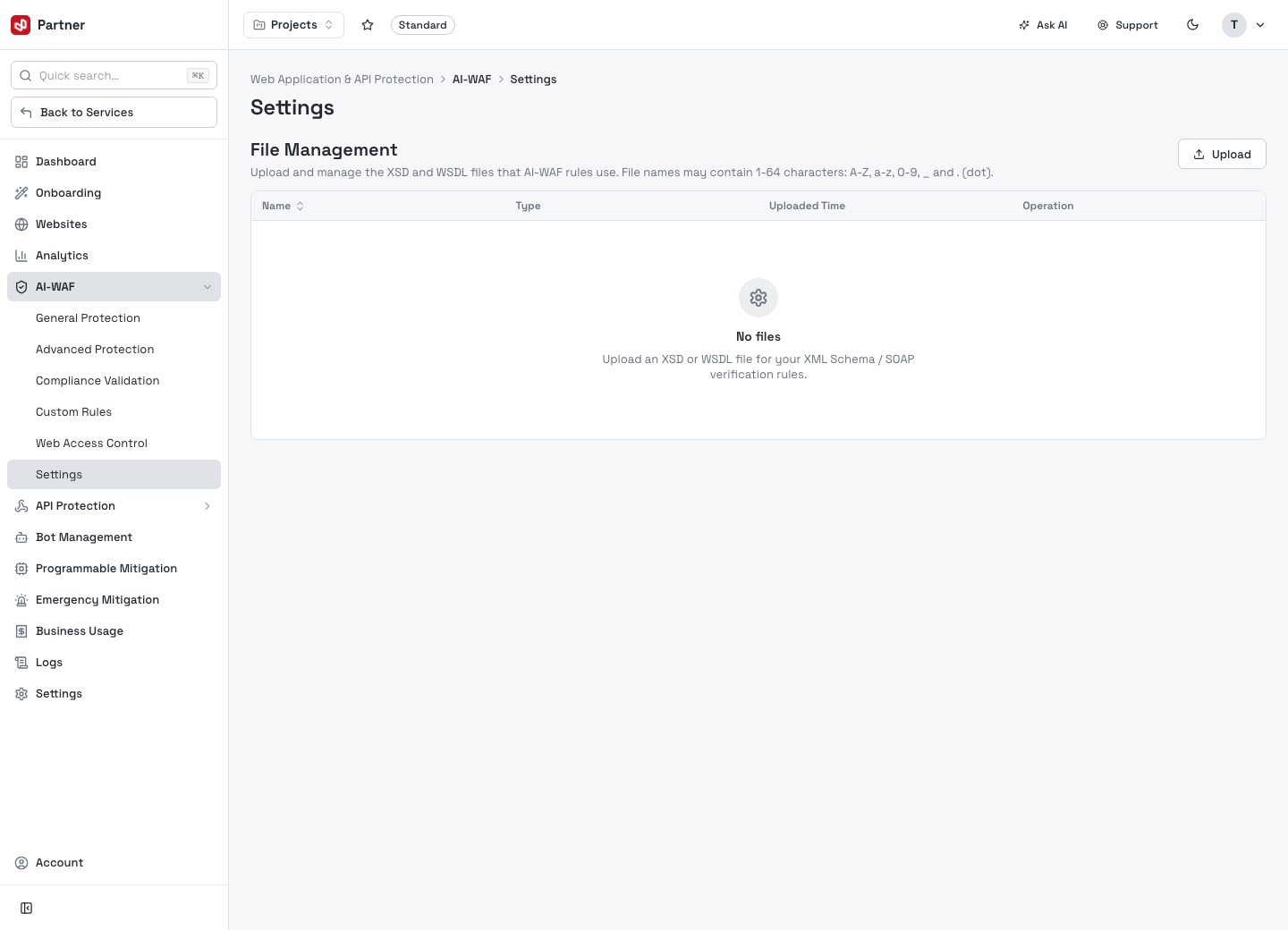
Upload and manage the XSD and WSDL files that AI-WAF rules use — the schema/SOAP
definitions the XML Protection rules validate against. Click Upload to add a file
(name 1–64 chars: A-Z a-z 0-9 _ .); the table lists Name, Type, Uploaded Time,
Operation.