SSL/TLS Certificates
SSL/TLS Certificates is a managed certificate inventory for your organization: issue free managed certificates (Let's Encrypt), upload your own, and reuse them across every VNETWORK service. Managed certificates auto-renew — nothing expires unnoticed — and every action is recorded in an audit trail.
This service is in beta. Features and limits may change; expect the occasional rough edge.
Activate
Open Services → Security → SSL/TLS Certificates. The inventory is scoped to your organization; once activated it opens on the certificate list.
Add a certificate
Issue free SSL (Let's Encrypt)
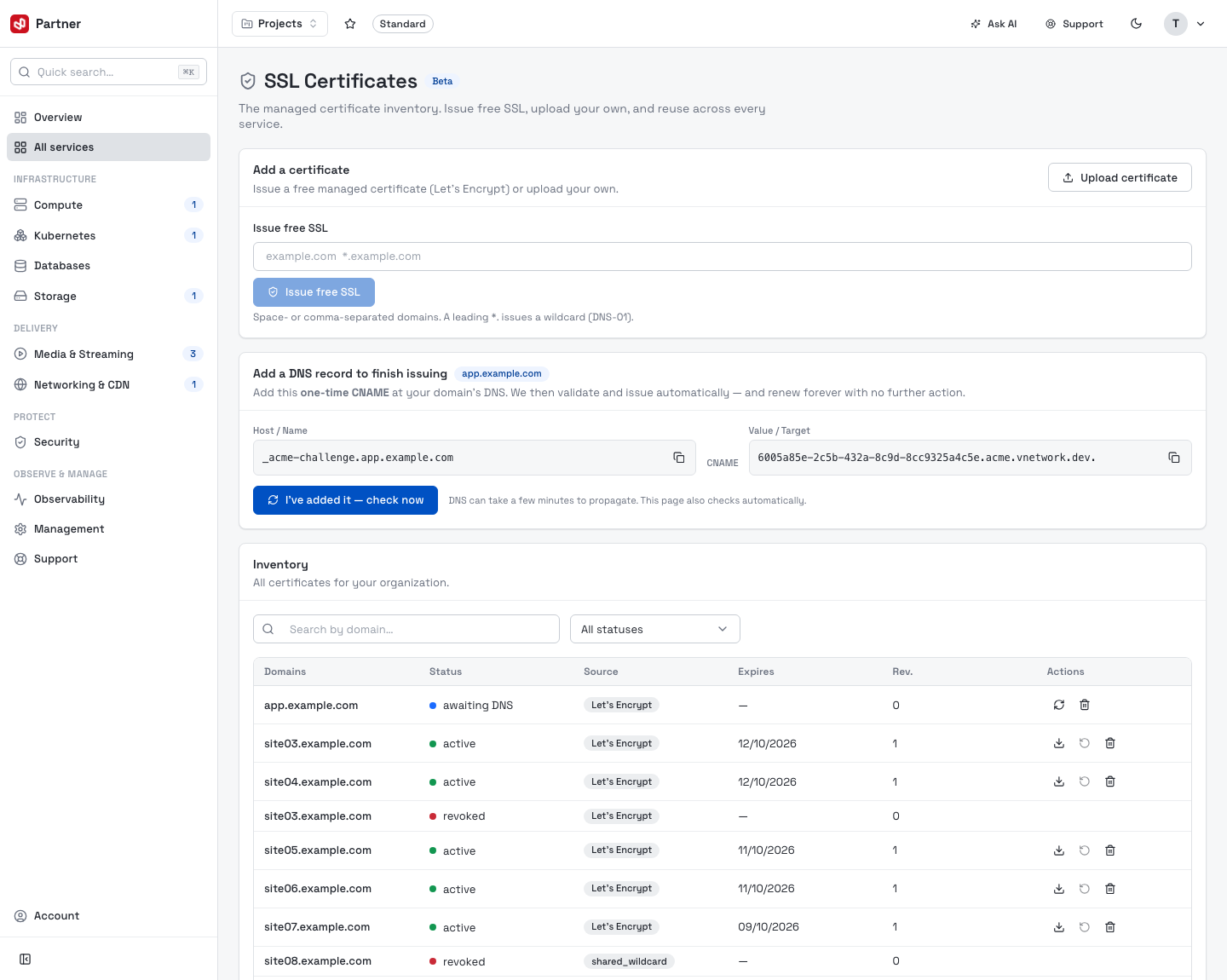
Enter one or more domains (space- or comma-separated) and click Issue free SSL. A leading
*. issues a wildcard (validated over DNS-01). For domains VNETWORK already controls,
issuance is automatic; for external domains you add a one-time DNS record (below).
Upload your own
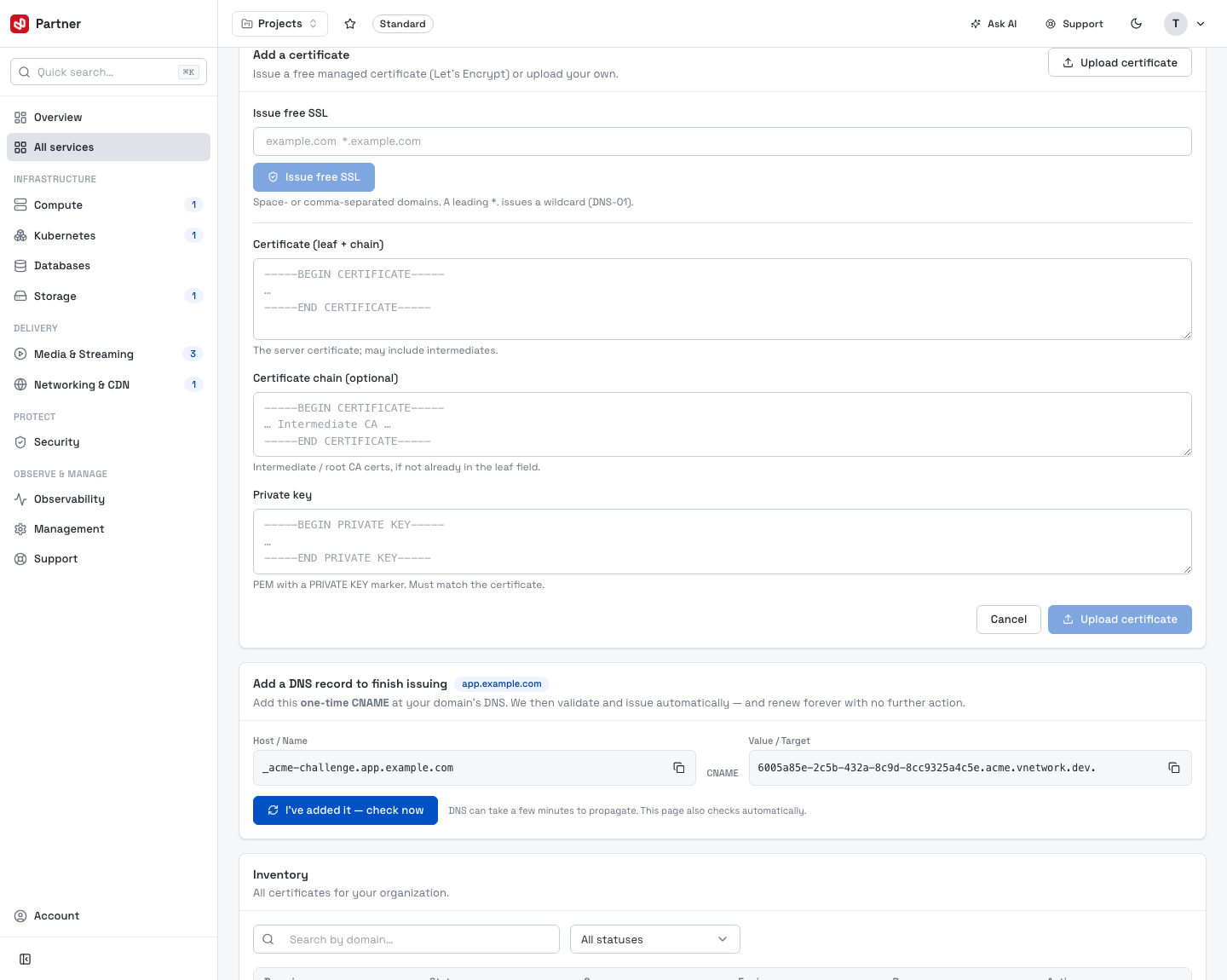
Upload certificate reveals fields to paste your existing PEM material — the certificate (leaf, optionally with chain), an optional certificate chain, and the private key (which must match the certificate).
Finish issuing an external domain (DNS delegation)
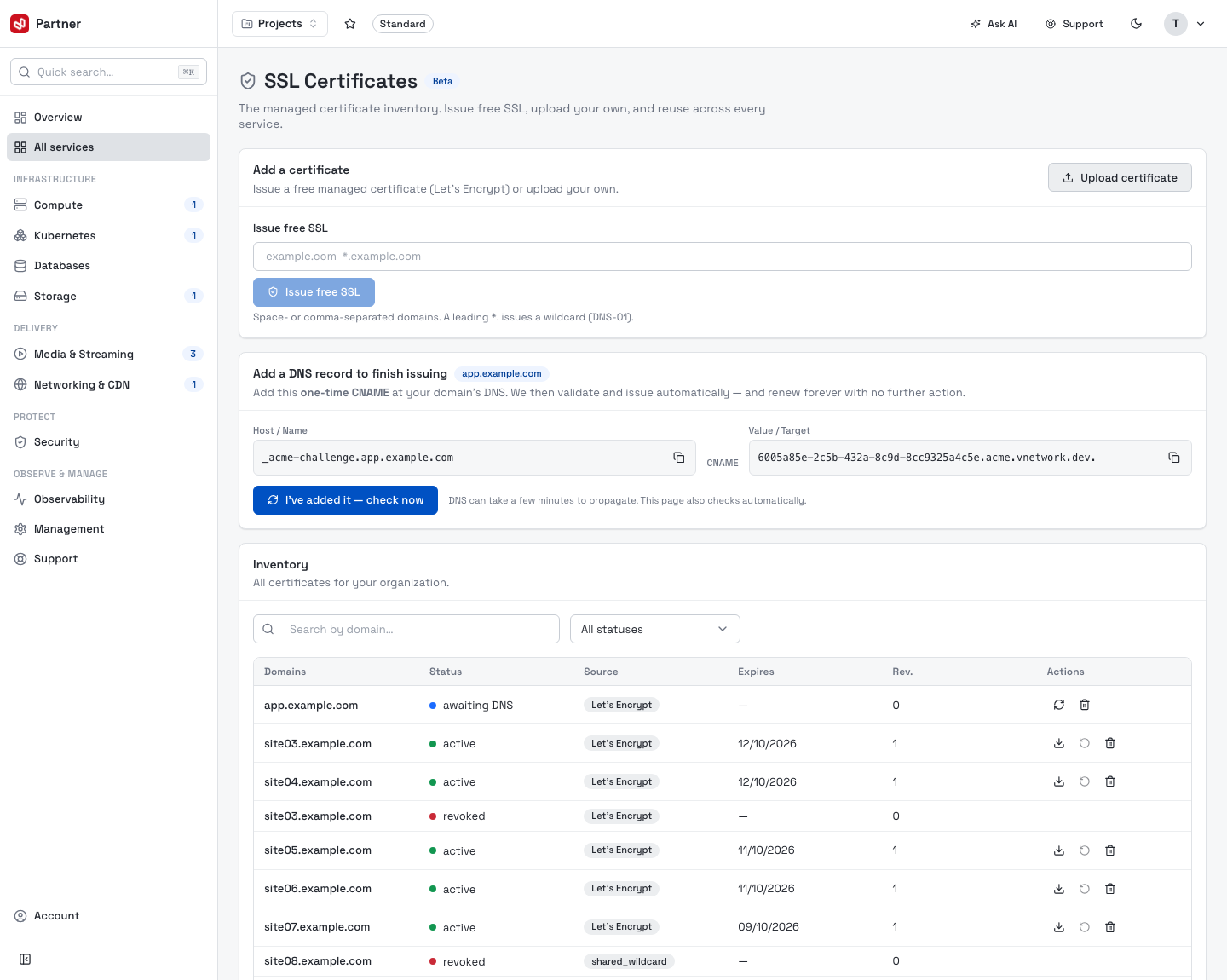
When you request a certificate for a domain VNETWORK doesn't host, it appears as awaiting DNS with a delegation panel: add the one-time CNAME it shows at your domain's DNS, then I've added it — check now. VNETWORK validates and issues automatically, and renews forever with no further action. (The page also re-checks on its own.)
Inventory
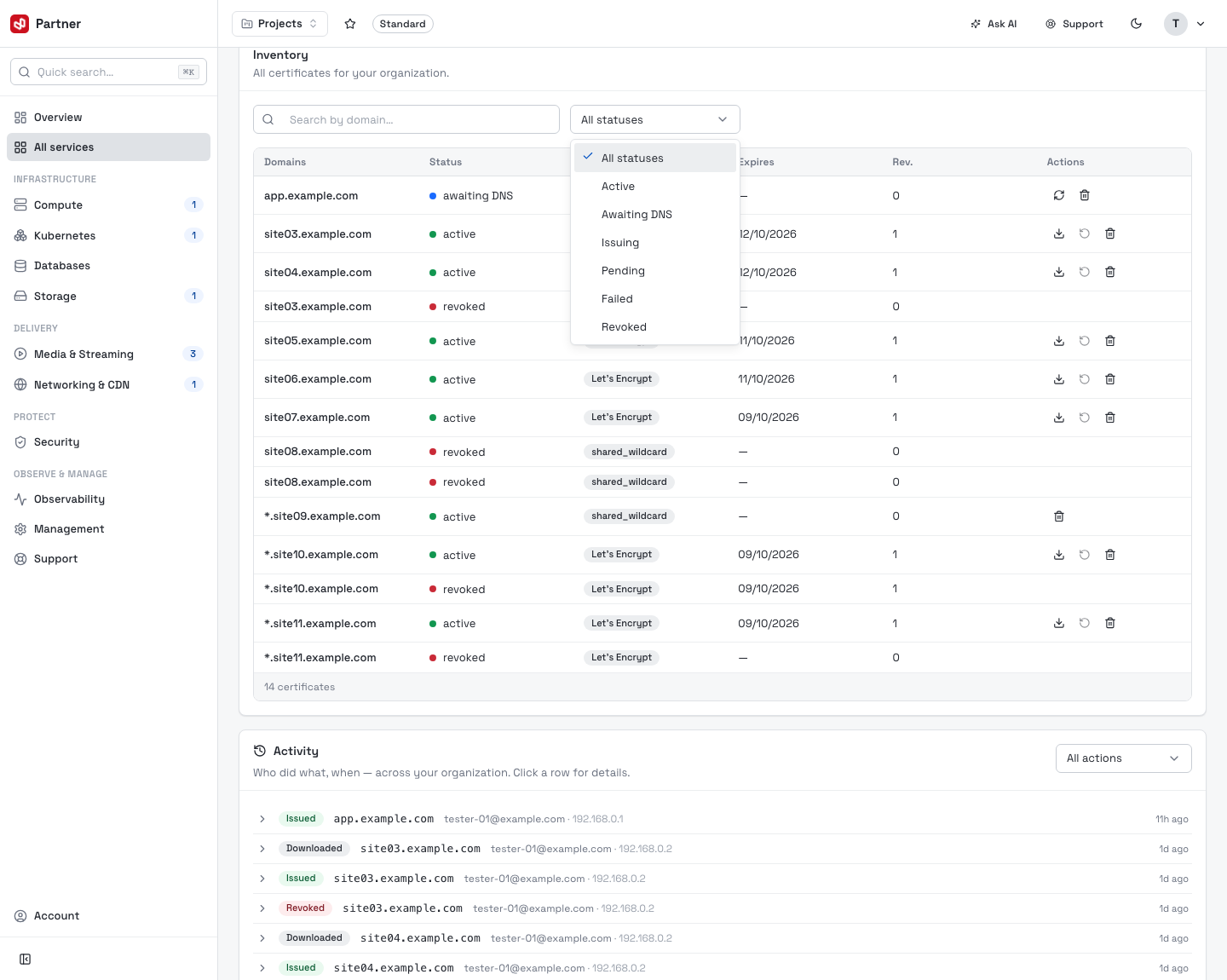
The Inventory lists every certificate for your organization — Domains, Status, Source, Expires (with an Expiring soon / Expired badge) and revision count. Search by domain and filter by status.
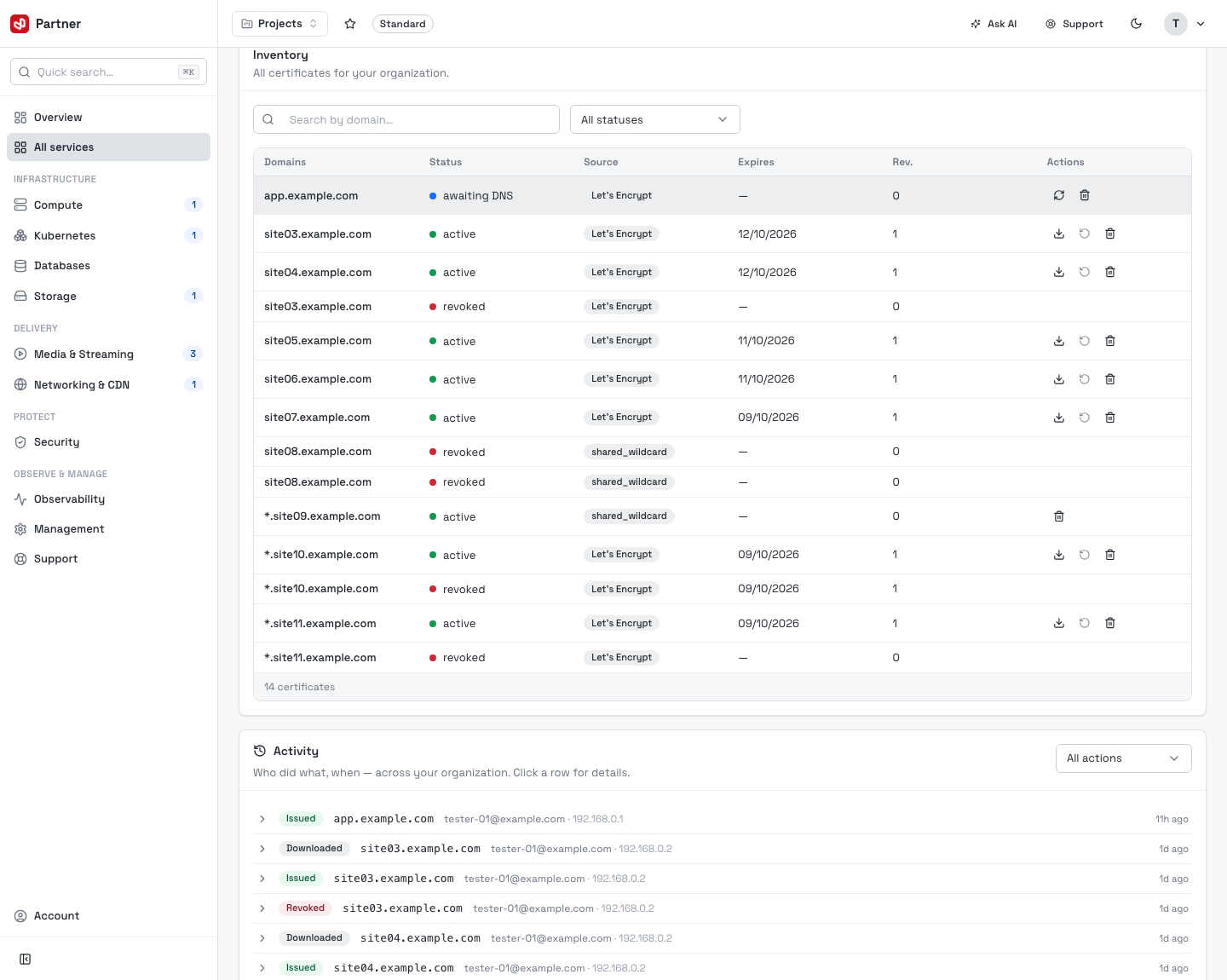
| Column | Notes |
|---|---|
| Status | Active · Awaiting DNS · Issuing · Pending · Failed · Revoked. |
| Source | Let's Encrypt (managed, auto-renewing), Uploaded (your own PEM), or shared_wildcard (a platform wildcard). |
| Expires | Issue date's expiry; managed certs renew automatically ~30 days out. |
Certificate actions
Each row exposes actions depending on the certificate's state:
-
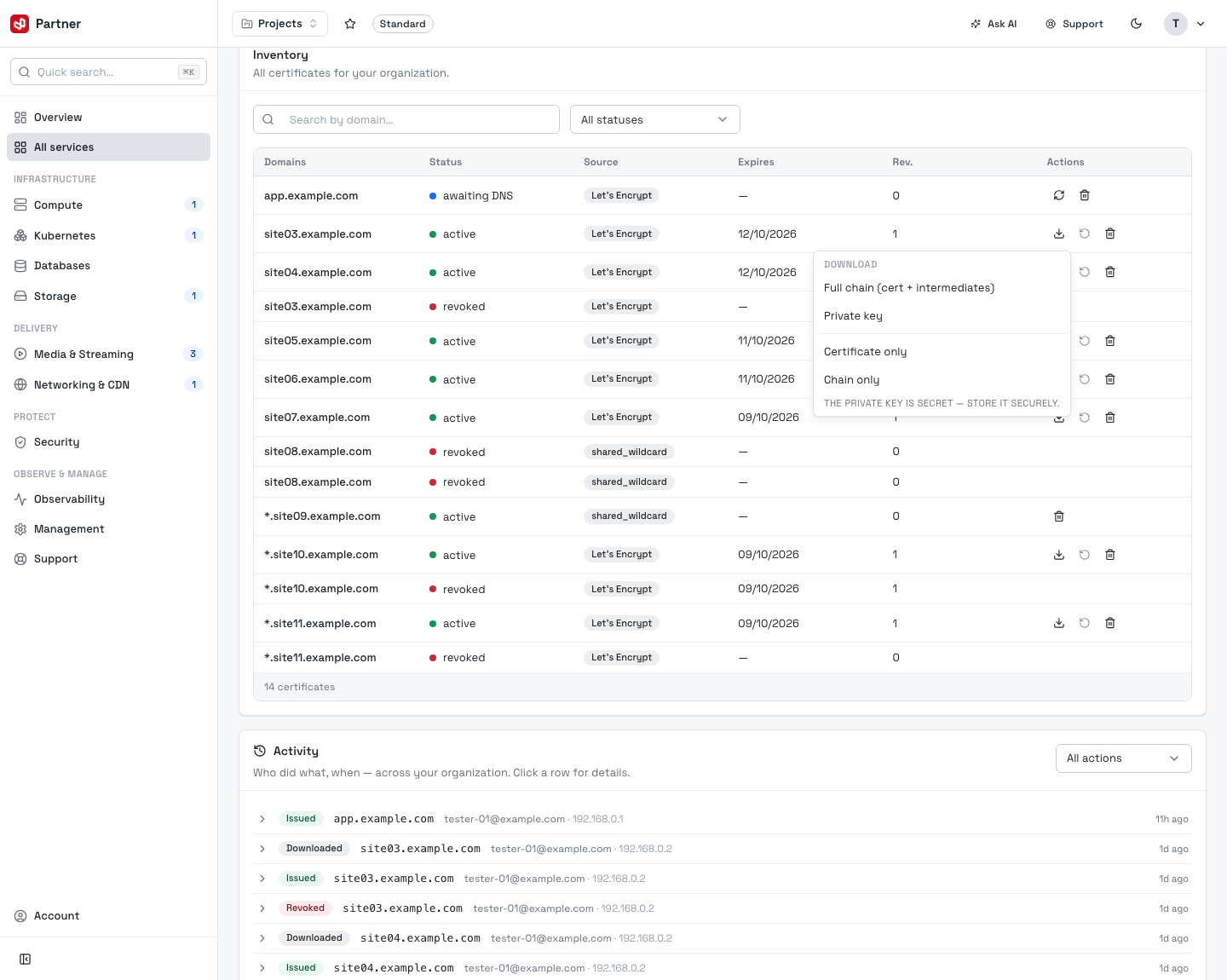
Download — for active, reusable certificates: a menu to download the full chain, private key, certificate only or chain only as PEM. The private key is secret — store it securely.
-
Recheck DNS — for an awaiting DNS certificate, re-validate the delegation now.
-
Renew — for managed (Let's Encrypt) certificates. Manual renewal is gated to the last ~30 days before expiry (they auto-renew anyway); the button explains when it's blocked.
-
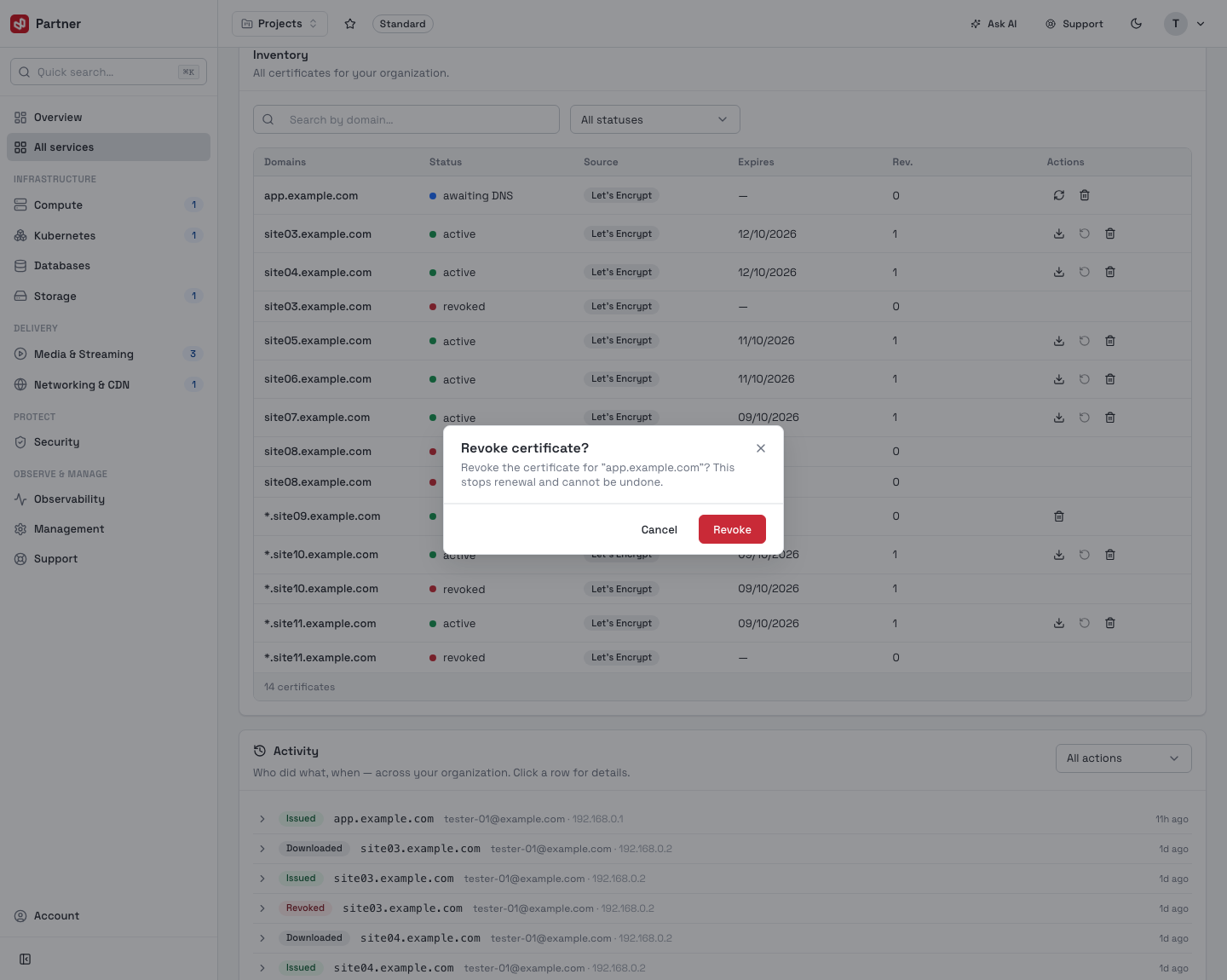
Revoke — stops renewal and invalidates the certificate.
Revoke permanently stops renewal for that certificate and can't be undone. Only revoke a certificate you're sure is no longer in use — services still relying on it will break.
Activity
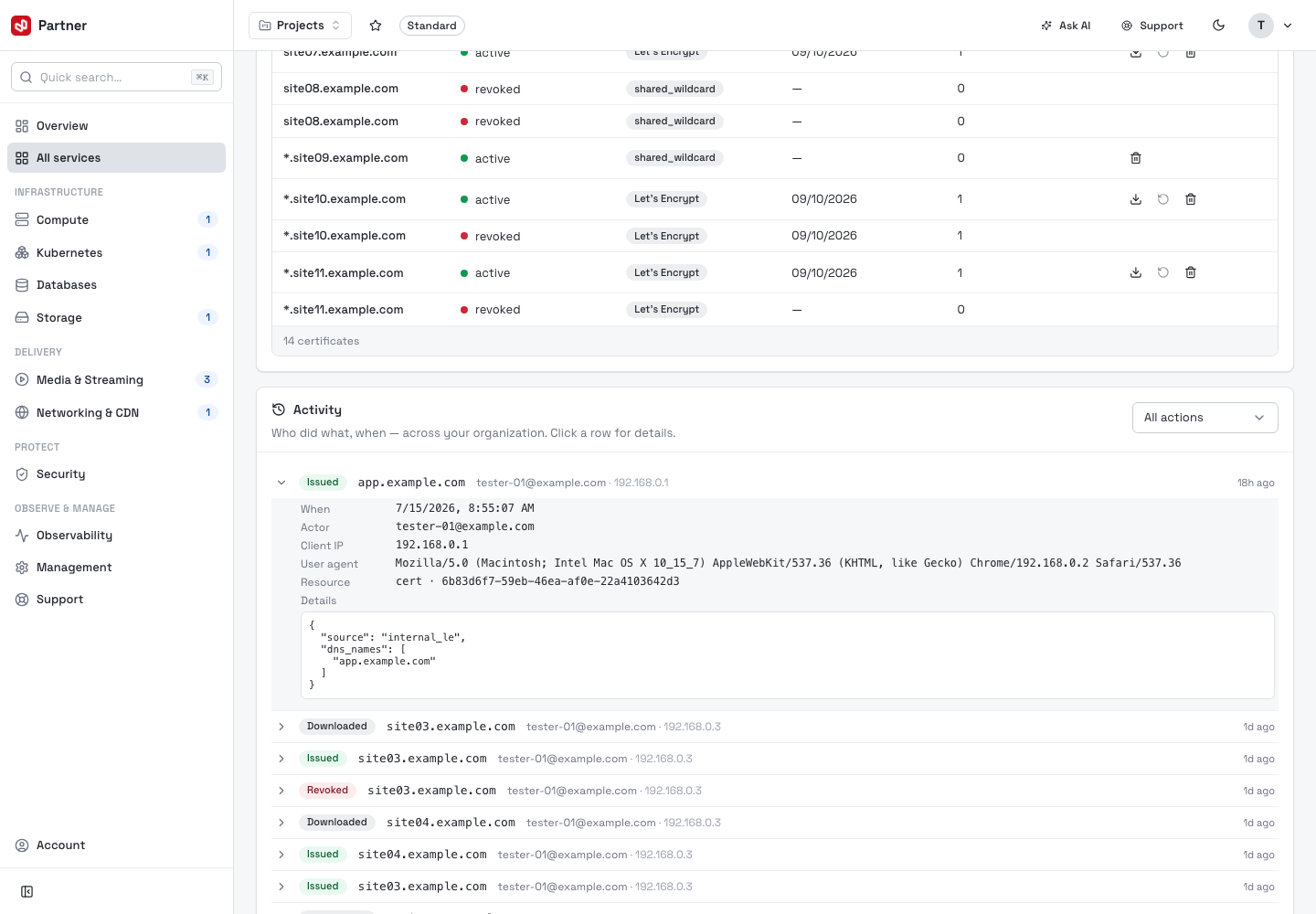
The Activity feed is an organization-wide audit trail — who did what, when: issued, uploaded, renewed, re-checked, downloaded and revoked. Filter by action, and click a row to expand the full detail (actor, client IP, user agent, resource and the change payload).