Clusters
The Clusters page lists every cluster in the service.
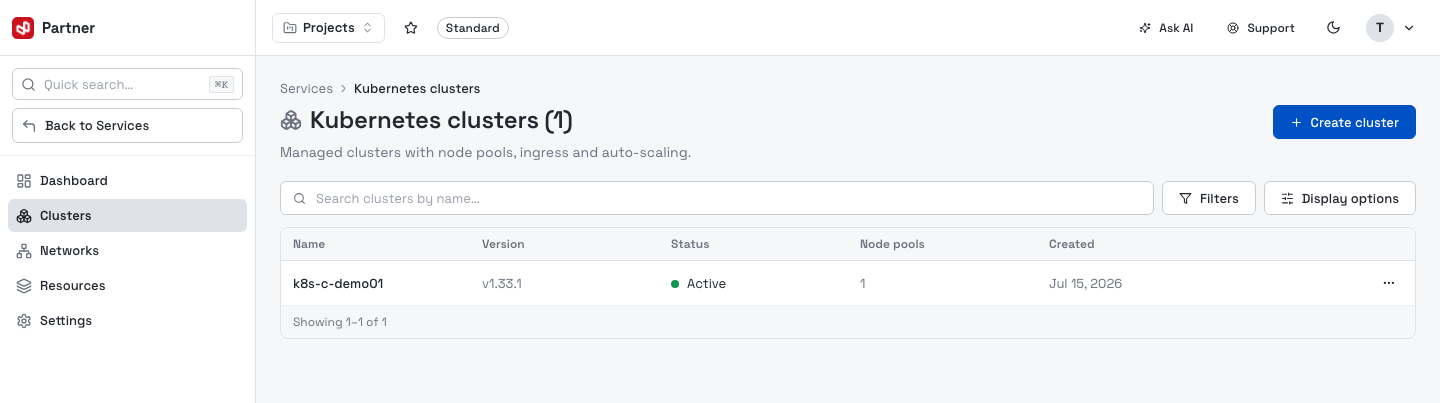
Columns: Name, Version (Kubernetes gitVersion), Status, Node pools (count) and Created. Filters narrows by status, Display options toggles which columns show, and the row menu (⋯) has Manage (open the cluster) and Delete.
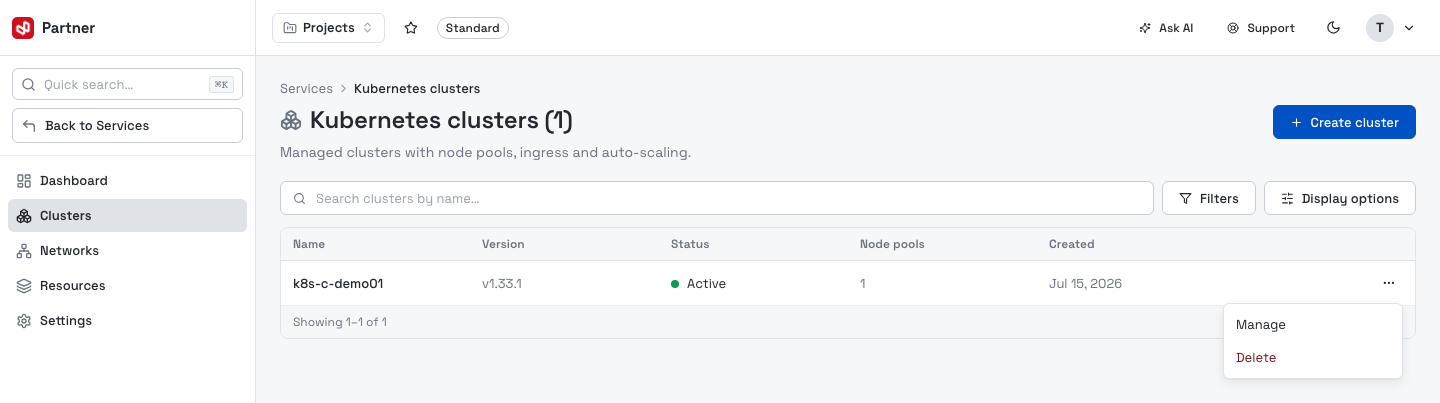
Delete asks you to type the cluster's name to confirm — it permanently removes the cluster and all its workloads. There is no undo.
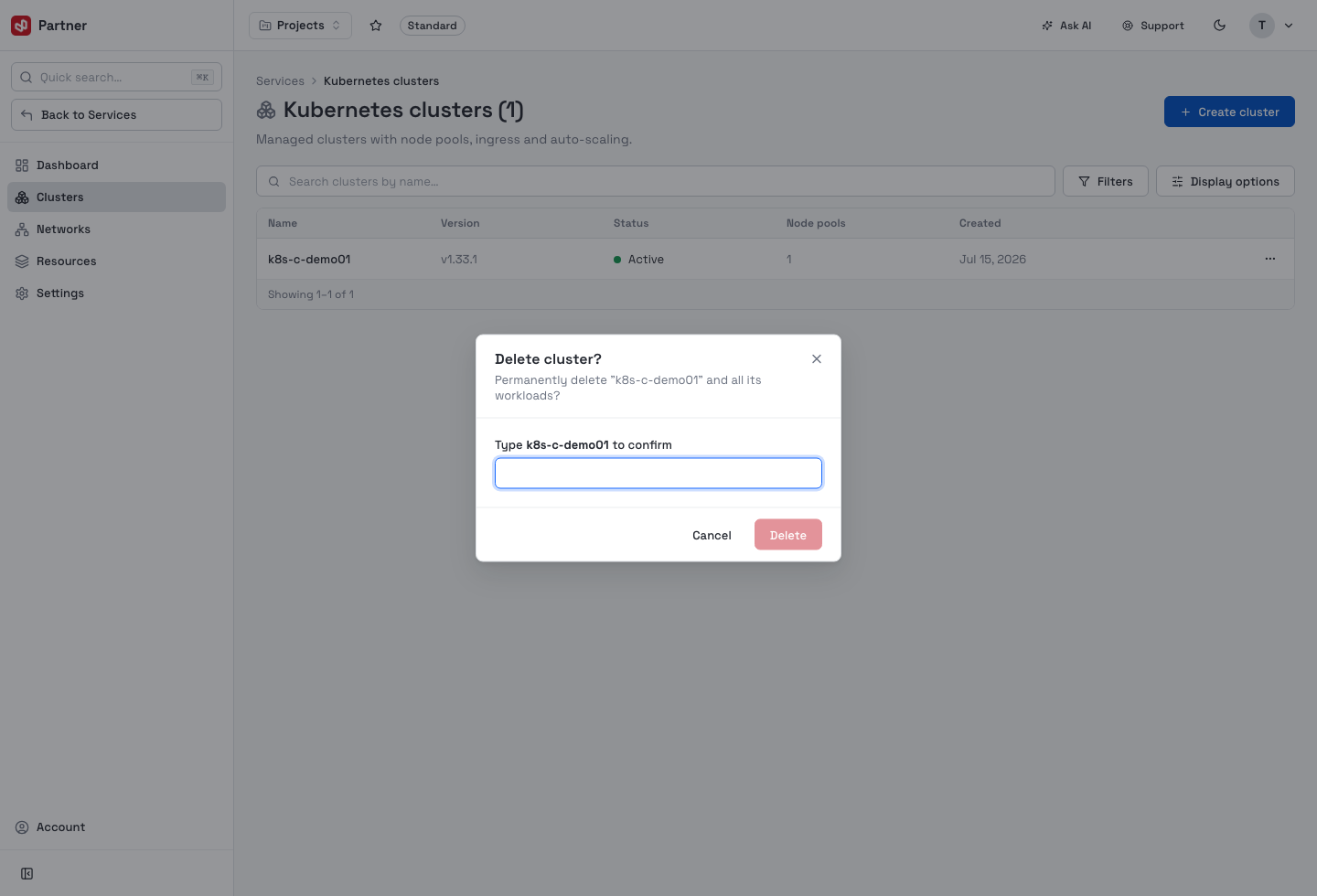
Create a cluster
Create cluster opens a single-page builder: the configuration is on the left and a live Kubernetes Cluster Summary rail on the right tracks control-plane limits (HA, max pools, max nodes/pool), the pools you've defined and the add-ons you've enabled.
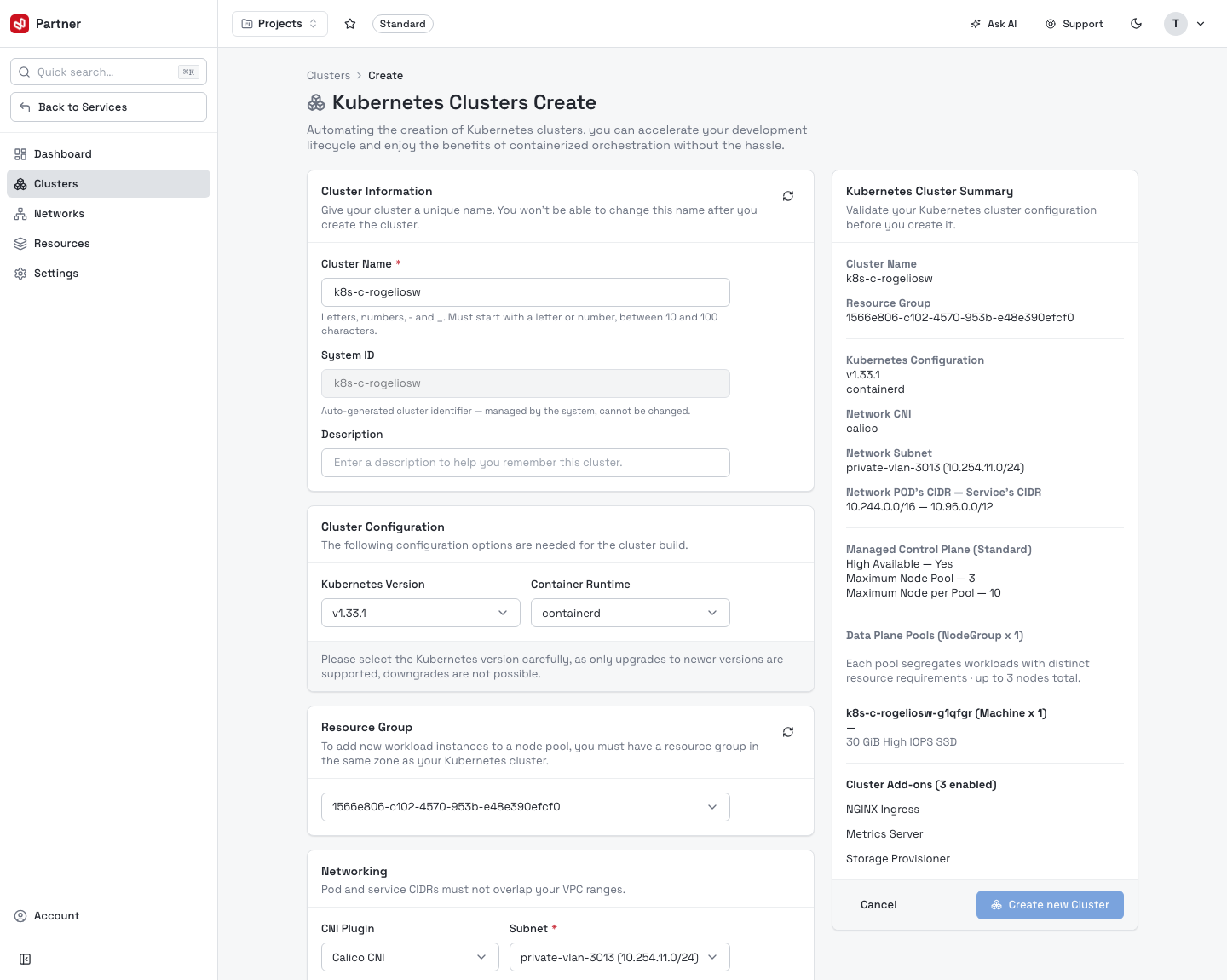
Cluster information & configuration
| Card | Fields |
|---|---|
| Cluster Information | Cluster Name (10–100 chars, letters/numbers/-/_, starting alphanumeric) · System ID (read-only, auto-derived k8s-c-…) · Description (optional). |
| Cluster Configuration | Kubernetes Version · Container Runtime (containerd). |
| Resource Group | Which compute resource group to place the cluster in (if your service has more than one). |
| Networking | CNI Plugin (Calico / flannel) · Subnet (one of your networks) · Node's CIDR (default 10.244.0.0/16) · Service's CIDR (default 10.96.0.0/12). |
Node pools
Define one or more worker pools (up to 3). Each pool has a read-only derived name, a Type (Standard / Processor Optimized / Memory Optimized), a Flavor (vCPU + memory), optional GPU acceleration, Min / Max nodes (1–10), Storage (GiB) and an autoscaling toggle.
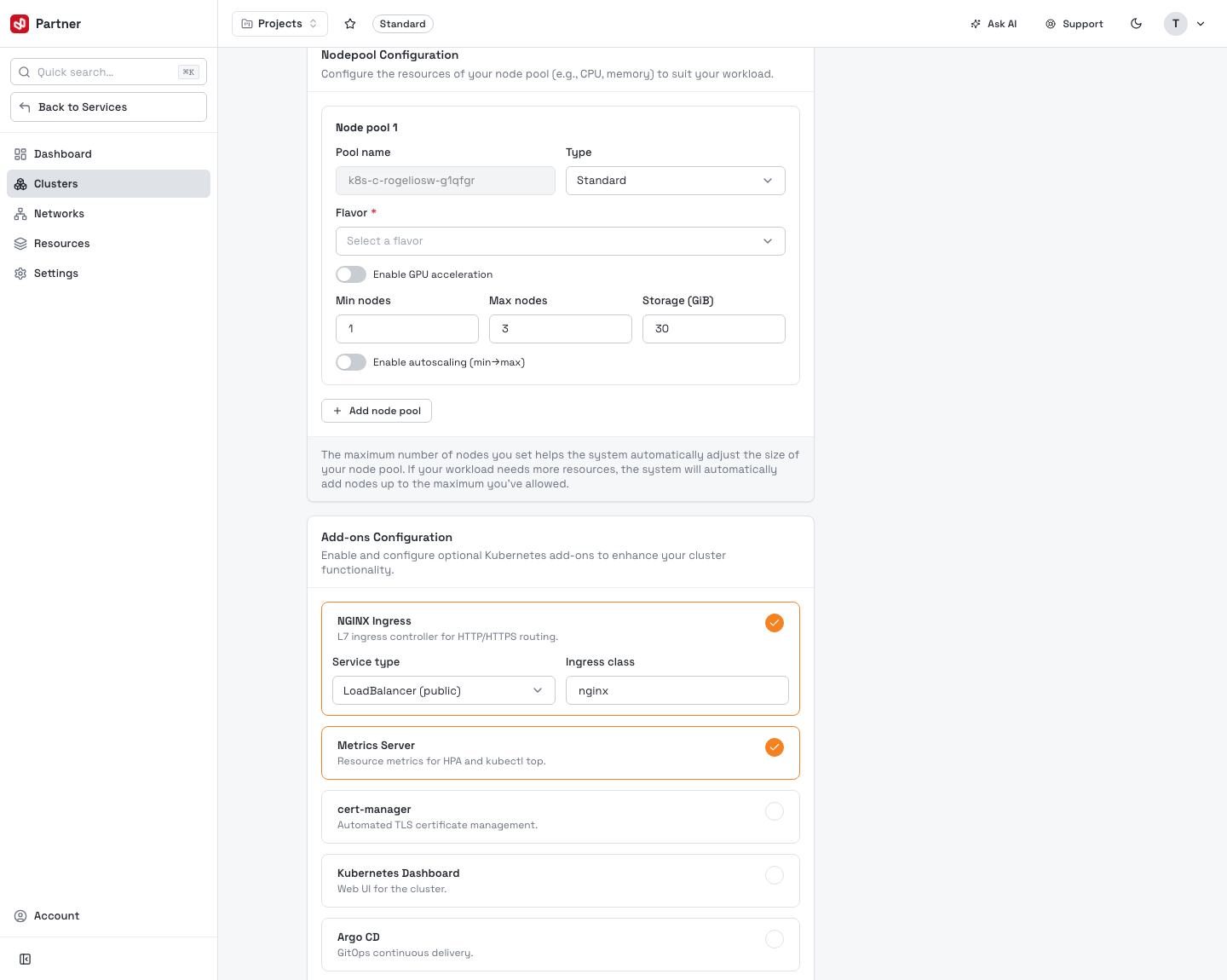
Add-ons
Toggle optional components on; enabled ones expand to their settings. The catalog:
| Add-on | Configures |
|---|---|
| NGINX Ingress | L7 ingress controller — Service type (ClusterIP / LoadBalancer) and Ingress class. |
| Metrics Server | Resource metrics for HPA and kubectl top (no config). |
| cert-manager | Automated TLS — ACME email, optional staging issuer. |
| Kubernetes Dashboard | Web UI — expose via ClusterIP / LoadBalancer. |
| Argo CD | GitOps continuous delivery — expose via ClusterIP / LoadBalancer. |
| Prometheus | Metrics collection — retention (days) and storage (GiB). |
| Grafana | Dashboards — admin password (auto-generated if empty). |
| Storage Provisioner | Dynamic PersistentVolumes — backend (Block Storage / NFS / HostPath) and default-StorageClass toggle. |
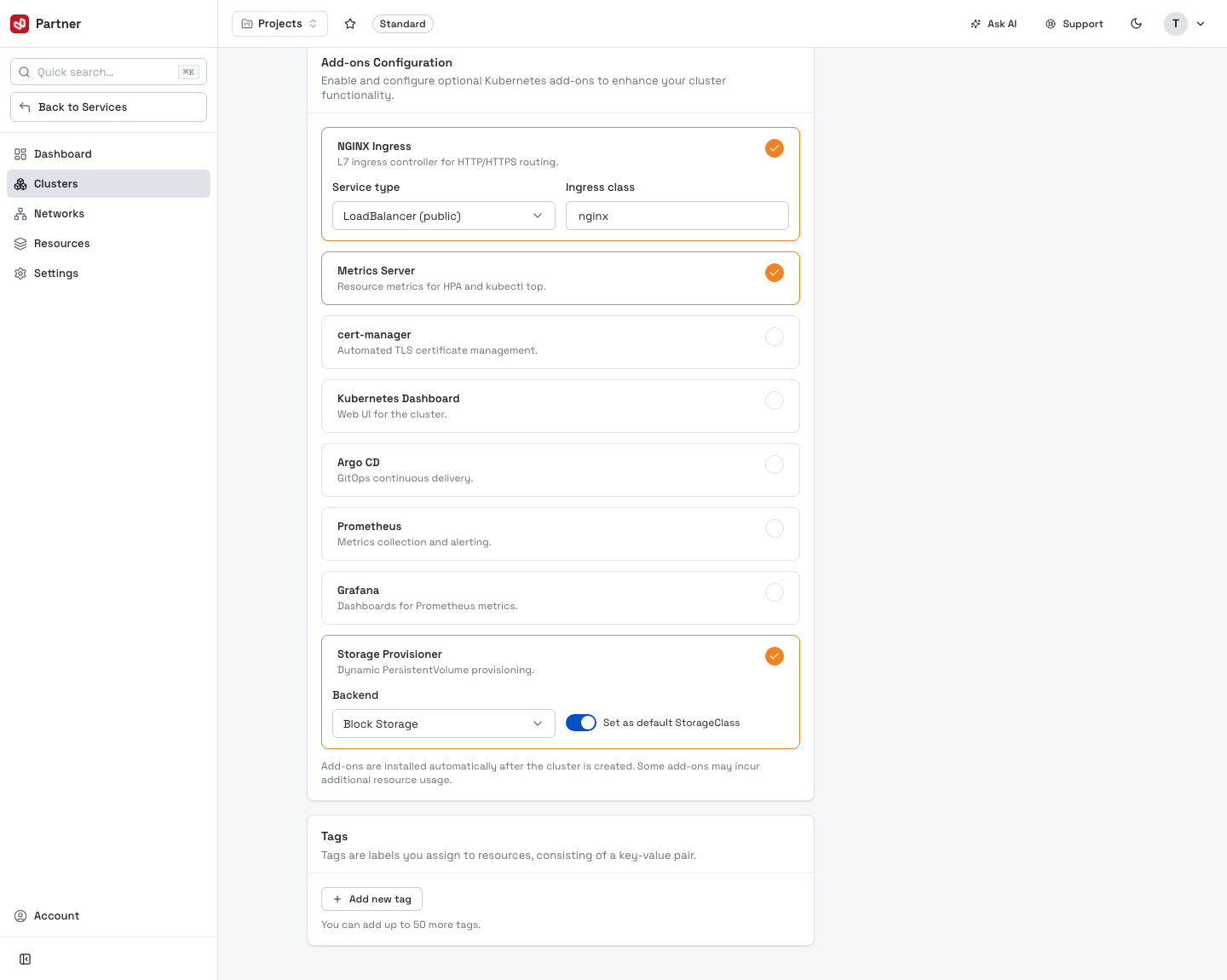
Tags
Optional key/value labels (up to 50) applied to the cluster's resources.
When the summary looks right, Create new Cluster provisions it. Provisioning streams live logs on the cluster's Overview; the cluster becomes Active once the control plane and first pool are ready.