Getting started
This page covers the basics every VNETWORK Cloud service builds on: signing in to the Partner Portal, organizing your account into projects, and activating a service.
1. Sign in to the Partner Portal
All services are managed from the Partner Portal. Sign in with your VNETWORK account. If you don't have one yet, ask your account manager for an invitation to your organization.
The console at a glance
After signing in you land on the Overview dashboard.
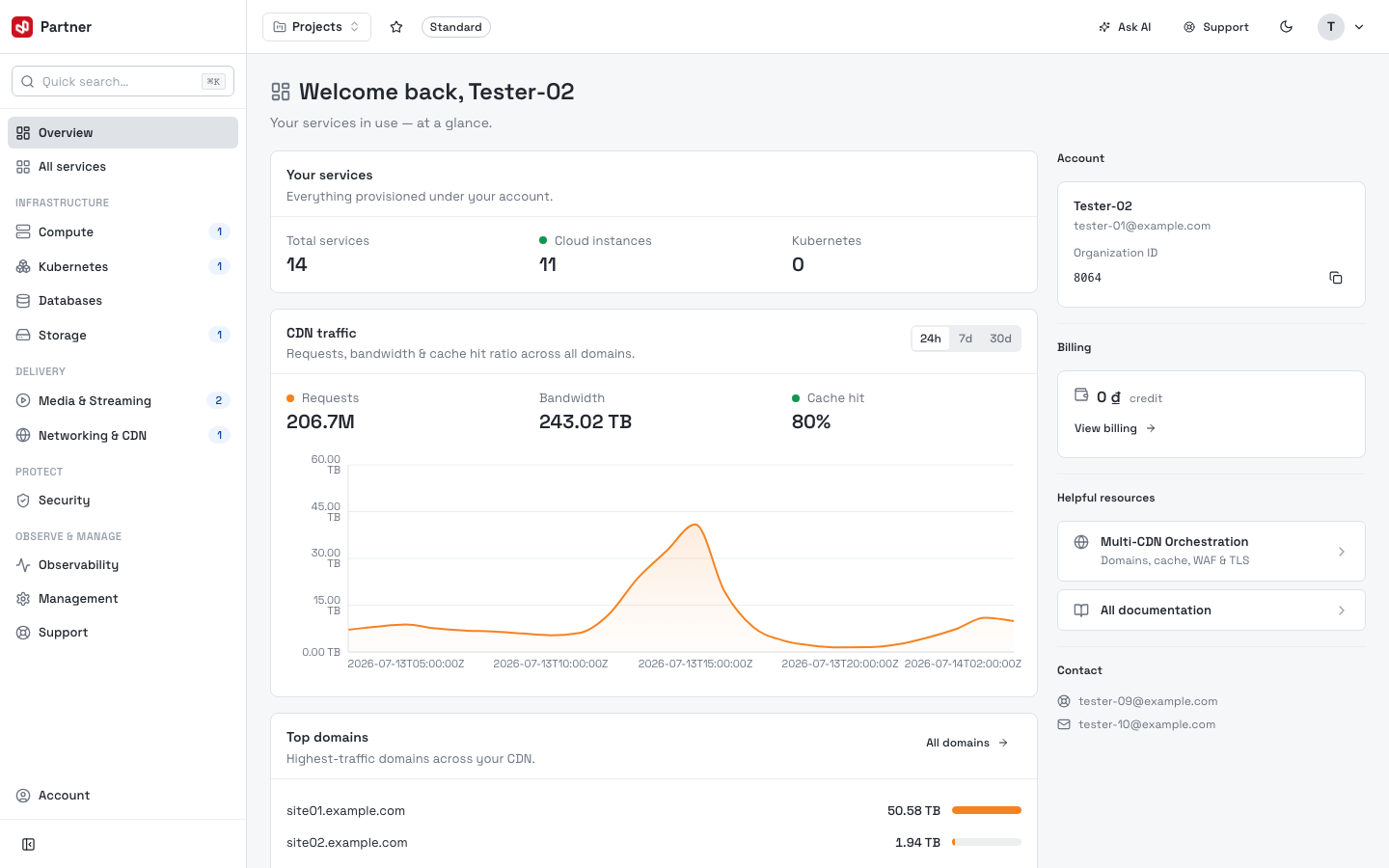
Left sidebar — your main navigation. At the top: Quick search, Overview and All services. Below, the service catalog is grouped exactly like this documentation:
- Infrastructure — Compute, Kubernetes, Databases, Storage
- Delivery — Media & Streaming, Networking & CDN
- Protect — Security
- Observe & Manage — Observability, Management, Support
A badge on a group shows how many services you have provisioned there. Account sits at the very bottom.
Top bar — the project switcher (scopes everything to the selected project), your plan badge, Ask AI, Support, the light/dark toggle, and your account menu.
Overview widgets — an at-a-glance summary: Your services (counts), CDN traffic (requests, bandwidth, cache hit — 24h/7d/30d), Top domains, plus a right rail with your Account, Billing and Helpful resources cards.
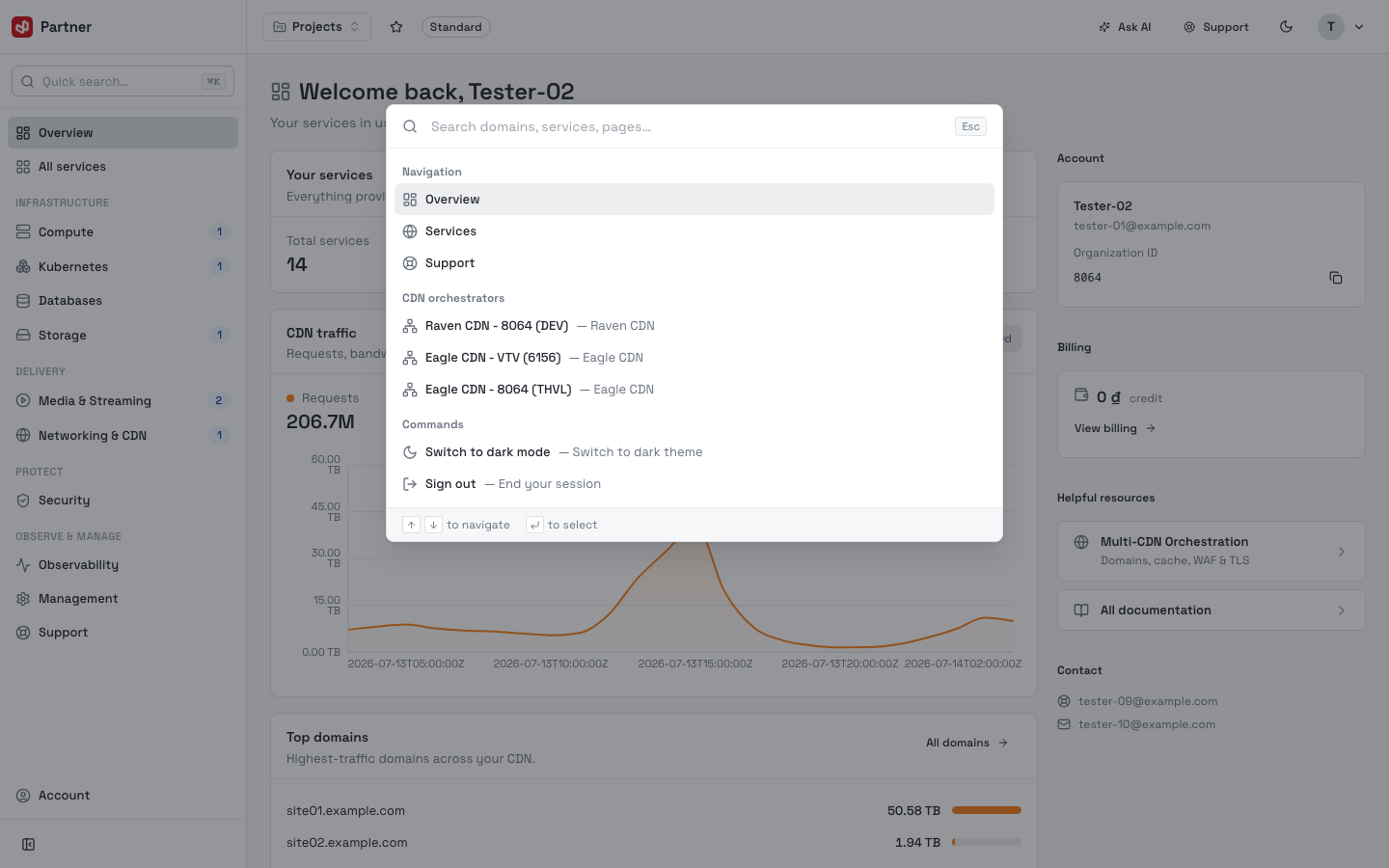
Search anything (⌘K)
Click Quick search in the sidebar or press ⌘K (Ctrl+K on Windows) to open the command palette. Search across domains, services and pages, jump to a provisioned service, or run quick commands (switch theme, sign out). Use ↑/↓ to navigate and ↵ to select.
2. Understand organizations and projects
Your account is an organization. Inside it you create projects — isolated
workspaces that separate environments (for example production and staging) or
teams. Every service you activate belongs to the project that is selected when you
activate it.
- Switch the active project from the selector in the portal header.
- Invite teammates and grant scoped, role-based access — see Organizations.
Decide on your project layout before you activate services. Moving a running service between projects later is not always possible.
3. Activate a service
- Open Services in the portal and browse the catalog, grouped into Infrastructure, Delivery, Protect, and Observe & Manage.
- Open a service card to see its plan and features.
- For self-serve products, click Activate — VNETWORK provisions the service for your current project and opens its console. Products marked Coming soon are not yet self-serve; use their card to register interest.
Each service's own guide (linked from the catalog) walks through its first-run onboarding in detail.
4. Next steps
Pick a service and follow its guide. Good starting points:
- Multi-CDN Orchestration — put a domain behind the edge.
- Web Application & API Protection — protect a site or API.
- Cloud Compute — launch your first virtual machine.