Access & Usage
SSH Keys
Manage the public SSH keys offered when launching an instance with key authentication.
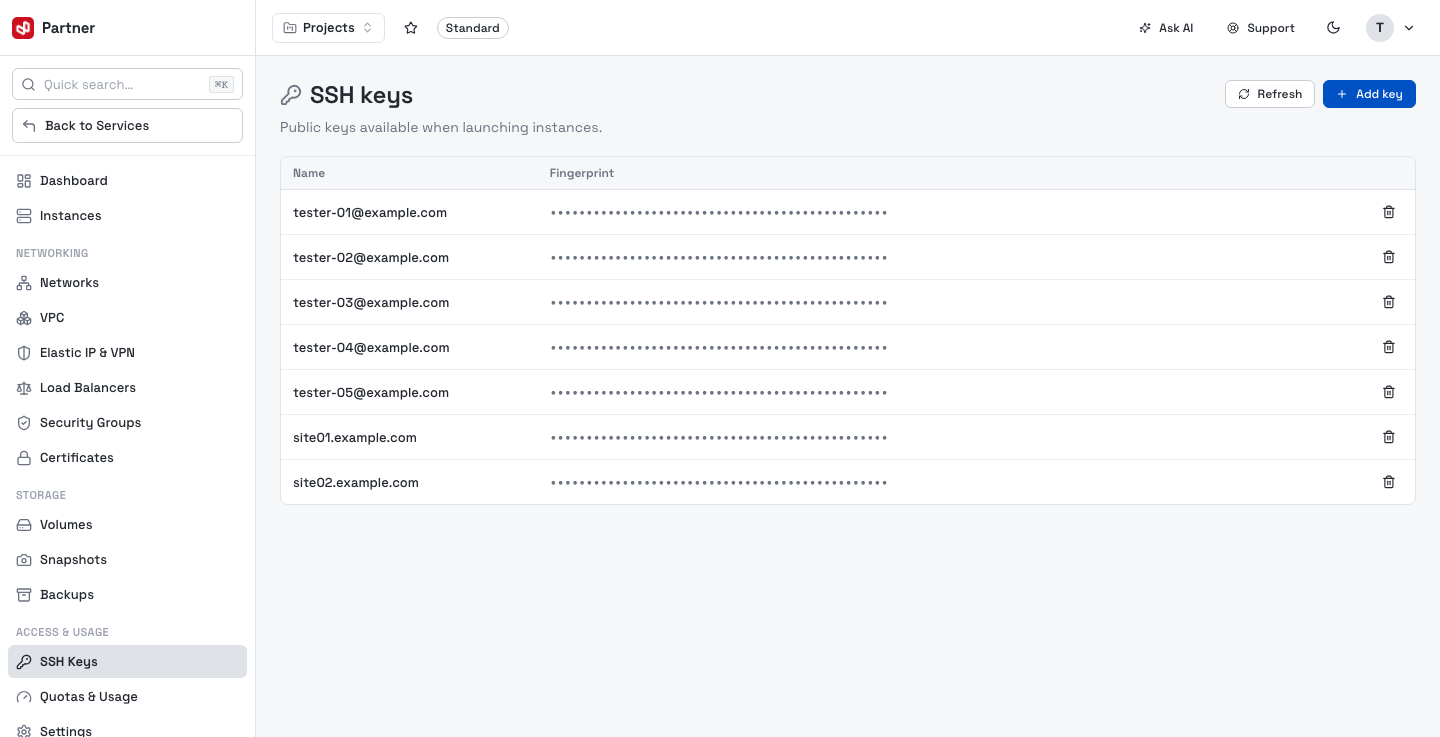
The table shows each key's Name and Fingerprint. Click Add key:
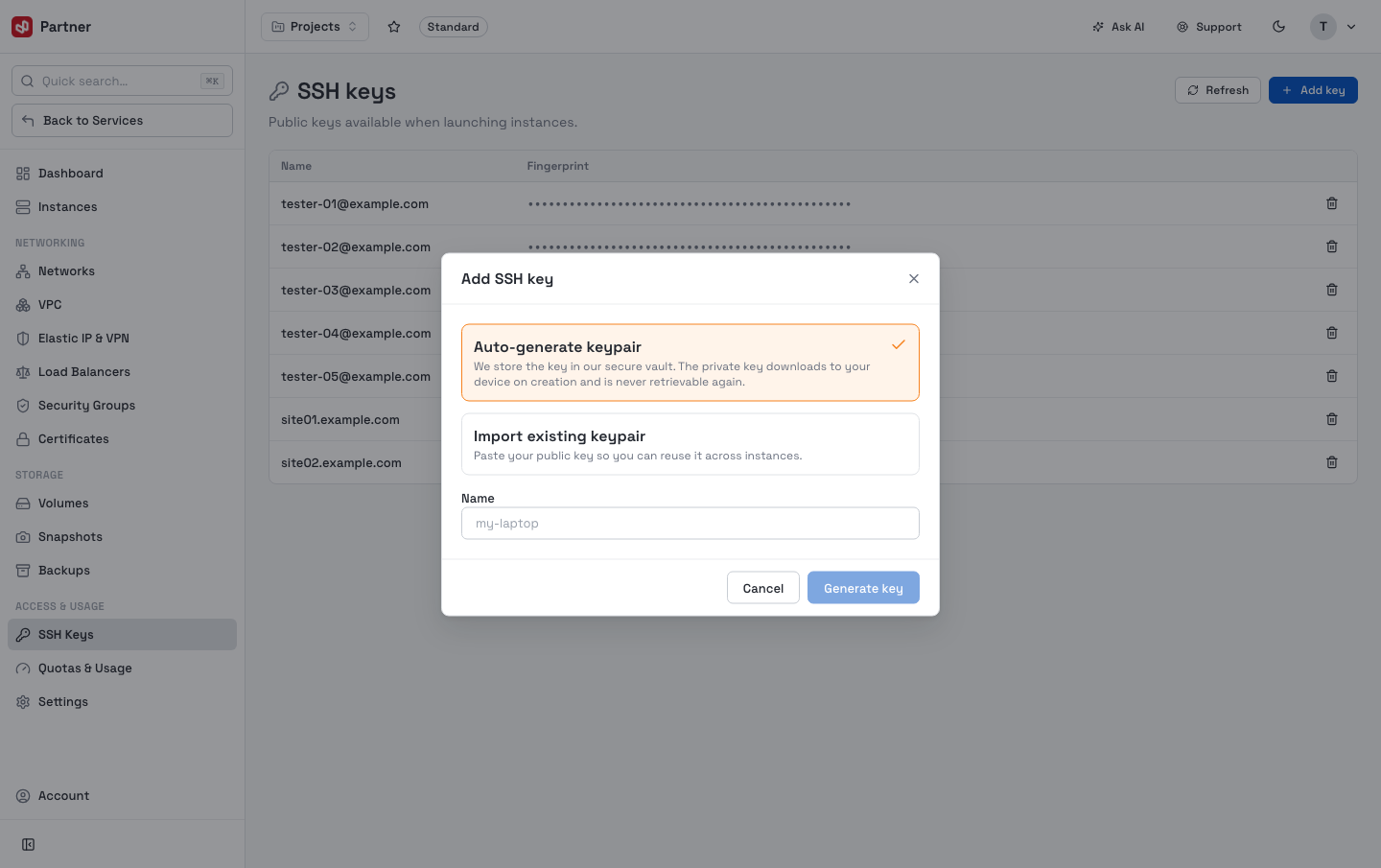
Give the key a Name and paste your public key (the ssh-rsa … / ssh-ed25519 …
line, not the private key). The key is then selectable in the instance-create wizard's
Authentication step.
Add each teammate's public key with a clear name (e.g. dat-laptop) so you can tell —
and later revoke — whose access is on an instance.
Quotas & Usage
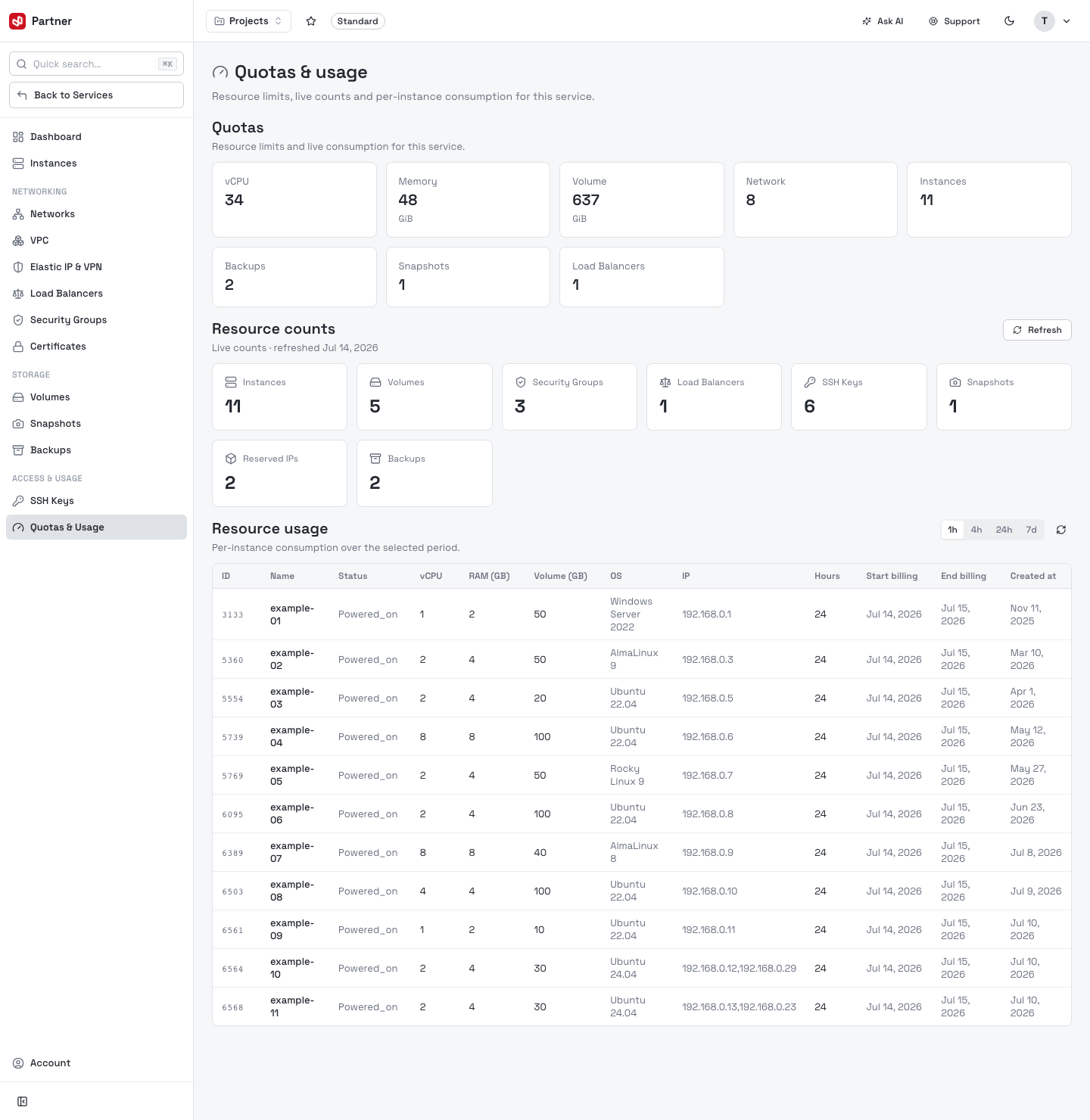
Track resource limits, live counts and billable consumption per instance. The page has three sections.
Quotas
The service's resource limits and live consumption as cards: vCPU, Memory (GiB), Volume (GiB), Network, Instances, plus Backups, Snapshots, Load Balancers. This is the ceiling the service can allocate.
Resource counts
Live counts of what's currently allocated — Instances, Volumes, Security Groups, Load Balancers, SSH Keys, Snapshots, Reserved IPs, Backups — with the timestamp of the last refresh and a Refresh button.
Resource usage
Per-instance consumption over a selectable window (1h / 4h / 24h / 7d). The table lists each instance with ID, Name, Status, vCPU, RAM (GB), Volume (GB), OS, IP, Hours, and its Start / End billing and Created at dates — this is what drives billing.
| Section | What it answers |
|---|---|
| Quotas | How much can this service allocate, and how close is it to the limit? |
| Resource counts | How many of each resource exist right now? |
| Resource usage | What is each instance consuming, and over what billing hours? |
Important operating notes
- The console acts on the currently selected Cloud Compute service — an organization can have several services.
- An instance and a volume must be in the same Zone to attach to each other.
- Resizing an instance powers it off and restarts it — schedule it for off-peak hours to avoid disruption.
- Terminating an instance is destructive and irreversible — the system requires you to type the exact name to confirm.
- Detaching a volume keeps its data; the System disk cannot be detached.
- Instances block all traffic by default — you must assign a security group that opens the ports you need before you can reach them.
- Take periodic snapshots/backups (via Scheduled actions) before major changes so you can restore.
- Network traffic is in Beta.